
Gumloop

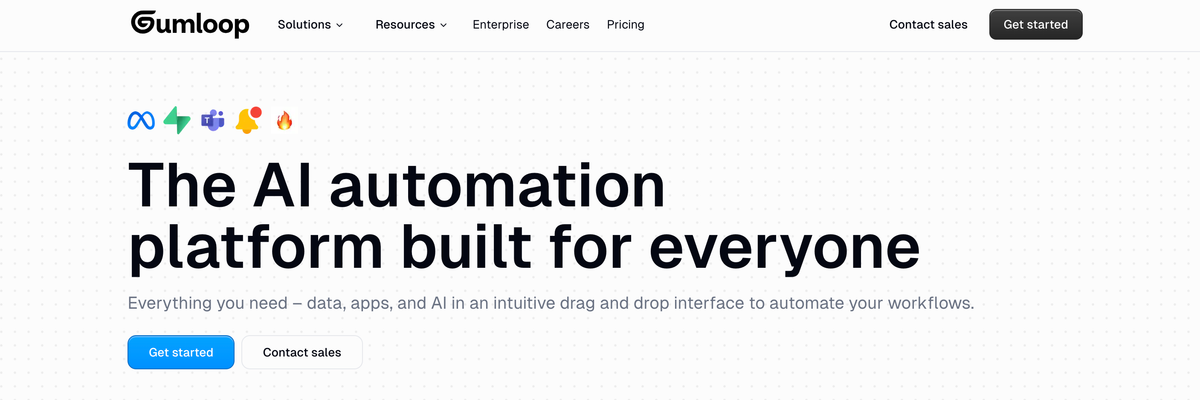
Gumloop is a no-code AI automation platform that lets users build workflows powered by large language models. It allows teams to connect tools, automate repetitive tasks, and create intelligent processes without writing code. Gumloop combines AI reasoning, data handling, and app integrations to help businesses streamline operations and boost productivity.
Gumloop Details
Overview of Gumloop
Gumloop is an AI automation platform that helps individuals and teams build intelligent agents and business workflows without writing traditional code. It provides a visual canvas where users can connect AI models, company data, applications, triggers, and processing steps to automate repetitive or complex work.
The platform can support straightforward tasks, such as summarizing documents or organizing information, as well as larger processes involving research, data extraction, content creation, customer support, sales operations, reporting, and internal knowledge management. Users can start with templates, build workflows from individual nodes, or create agents that decide which tools to use based on the task they receive.
Gumloop is designed to make AI automation more accessible to people outside engineering teams while still giving technical and enterprise users options for customization, governance, monitoring, and integration. This makes it suitable for solo professionals, growing teams, agencies, operations departments, and larger organizations that want to apply AI across daily business processes.
What Is Gumloop?
Gumloop is a visual platform for creating AI agents and automated workflows. Instead of building every process through custom software, users arrange nodes on a canvas and connect them to define how information should move from one step to another.
A node represents an action within the workflow. One node might collect information from a website, another might send the information to an AI model, and another might save the result in a connected business application. By connecting these actions, users can create repeatable systems that complete work with limited manual involvement.
Gumloop also supports agents that can reason through a request and choose from available tools. A Gumloop agent can be given instructions, integrations, data sources, and specific responsibilities. It can then complete tasks such as researching a prospect, analyzing customer feedback, preparing a meeting brief, updating a CRM, or answering questions about company data.
The platform combines structured automation with more flexible agent behavior. Structured workflows are useful when every step must follow a predictable order, while agents are helpful when the correct actions may change depending on the request or available information. Users can also place agents inside workflows, allowing both approaches to work together.
Gumloop is built for collaborative use. Workflows, custom nodes, agents, and templates can be shared across teams so that useful automations do not remain limited to the person who originally created them. Organizations can create a reusable internal library of AI tools for different departments and business functions.
How To Use Gumloop
Start by creating a Gumloop account and deciding which process you want to automate. It is usually best to begin with a clearly defined task that already follows a repeatable sequence. Examples include collecting information from form submissions, researching new leads, categorizing support tickets, summarizing reports, or creating recurring performance updates.
Open the workflow builder and create a workbook. A workbook acts as the main canvas where nodes are added and connected. Related workflows can be organized within the same workbook, making it easier to manage different parts of a larger automation project.
Add a trigger or input to determine how the process begins. A workflow may start when a user runs it manually, when a form is submitted, when an email arrives, when a webhook receives information, or according to a recurring schedule. The appropriate trigger depends on whether the automation is interactive, event based, or scheduled.
Next, add the nodes needed to complete each step. You might use nodes for web research, document processing, AI generation, data extraction, filtering, list operations, notifications, or application integrations. Connect the output of one node to the input of the next node so information flows through the workflow in the correct order.
Configure each node by choosing the required settings, instructions, credentials, and input values. Outputs from earlier nodes can be referenced in later steps, allowing the workflow to use information collected or generated during the run.
For more flexible tasks, create an agent and provide it with clear instructions. Choose the AI model, connect the tools the agent is permitted to use, and explain the result it should produce. Agents can be used independently or added to a visual workflow through an agent node.
Test the workflow with a small amount of sample data before using it at scale. Review the run log to understand how each node performed, identify errors, and confirm that the final output is accurate. Adjust prompts, conditions, connections, and data formats when needed.
Once the workflow performs reliably, activate the appropriate trigger or schedule. Continue monitoring runs, credit usage, output quality, and failure alerts. Business processes and connected applications can change, so important automations should be reviewed periodically.
Gumloop Key Features
Visual workflow builder
Gumloop provides a drag and drop canvas for arranging automation steps. Users can visually connect nodes and follow how information moves through the workflow. This makes complex processes easier to understand, build, test, and update.
AI agent builder
Users can create specialized agents with instructions, tools, integrations, models, and defined responsibilities. These agents can reason about a request, select appropriate actions, and complete tasks that do not always follow the same fixed sequence.
Workflow and agent combination
Agents can be included as individual steps inside structured workflows. This allows users to combine predictable automation logic with AI powered decision making. A workflow can collect and prepare data before sending it to an agent, then process the agent’s response through additional steps.
Application integrations
Gumloop can connect with business applications and data sources used across marketing, sales, support, operations, recruiting, and analytics. Integrations allow workflows to retrieve information, process it with AI, and send results to the systems where teams already work.
Multiple AI model options
The platform supports access to different AI model providers. Teams can select models based on the needs of a particular workflow, such as reasoning quality, processing speed, context capacity, or organizational policy.
Web scraping and information extraction
Gumloop includes tools for collecting information from websites and converting unstructured content into usable data. This can support market research, lead enrichment, competitor monitoring, content analysis, and other research heavy processes.
Document and file processing
Workflows can work with documents, PDFs, lists, structured data, and other file types. Users can build processes that extract information, classify content, summarize material, compare documents, or generate new files.
Triggers and scheduled automation
Automations can begin through events such as incoming messages, form submissions, application activity, webhooks, or scheduled times. This allows workflows to run without requiring someone to open Gumloop and manually start each process.
Reusable nodes and subflows
Teams can create reusable components for actions they perform frequently. A tested node or subflow can be shared and added to other workflows, reducing duplicated work and helping teams maintain consistent processes.
Templates
Gumloop offers templates that provide starting points for common automation needs. Templates can help new users understand how nodes are connected and allow experienced users to deploy useful workflows more quickly.
Team collaboration
Workbooks, workflows, custom nodes, and agents can be shared with teammates. Access roles can determine who is allowed to view, use, edit, or manage an automation. This supports collaborative building while protecting important configurations.
Run history and debugging
Users can review previous workflow runs to see which steps succeeded, which steps failed, and what information passed through each node. Run logs help users diagnose problems and improve workflow reliability.
Human review options
Workflows can include human involvement when approval or judgment is required. This is useful for sensitive communications, important business decisions, expensive actions, or outputs that should be reviewed before they are published or sent.
Enterprise security and governance
Organizations can use permissions, authentication controls, audit logging, usage monitoring, model restrictions, and other governance features. These controls help companies expand AI adoption while maintaining visibility over access, spending, data movement, and agent activity.
Gumloop Use Cases
Lead research and enrichment
Sales teams can build workflows that research companies, collect relevant public information, identify decision makers, categorize prospects, and prepare personalized outreach notes. The resulting information can be sent to a CRM or another sales system.
CRM management
A Gumloop agent can help update deal records, organize account information, identify missing fields, summarize interactions, and keep customer data current. This reduces the amount of manual administrative work required from sales representatives.
Meeting preparation
Gumloop can gather information from calendars, customer records, notes, emails, and internal resources to produce a meeting brief. The brief can include account history, recent activity, open questions, risks, and recommended discussion points.
Customer support triage
Support teams can classify incoming requests, detect urgency, summarize issues, suggest responses, identify repeated complaints, and route tickets to the appropriate person. More complex or sensitive cases can be flagged for human review.
Customer feedback analysis
Businesses can collect feedback from surveys, reviews, calls, support conversations, and other channels. Gumloop can organize the feedback into topics, identify recurring patterns, and create reports that help teams understand customer needs.
Content research
Marketing teams can automate the collection and organization of information used for articles, landing pages, newsletters, social posts, and reports. A workflow can gather sources, extract useful details, group findings, and prepare a structured research brief.
Content production
Gumloop can support content workflows that move from research to outlining, drafting, editing, formatting, and approval. Teams can define separate steps for brand guidelines, factual review, quality checks, and publishing preparation.
Search engine optimization workflows
SEO professionals can use Gumloop to collect search results, analyze competing pages, categorize keywords, extract page elements, create content briefs, and organize optimization opportunities. Human review should remain part of the process when strategic decisions or factual claims are involved.
Data extraction
Users can extract names, dates, prices, categories, descriptions, contact information, and other structured fields from unstructured text or web pages. The extracted data can then be filtered, cleaned, scored, or exported.
Report generation
Teams can collect information from multiple applications and turn it into scheduled reports. This may include campaign summaries, sales updates, customer support trends, operational metrics, or internal project reviews.
Call analysis
Gumloop can process call transcripts to identify customer objections, common questions, competitor mentions, coaching opportunities, and recurring themes. The findings can be summarized for managers or stored for later analysis.
Recruiting operations
Recruiting teams can organize candidate information, summarize applications, prepare interview materials, categorize feedback, and create follow up tasks. Important employment decisions should remain under human control.
Internal knowledge assistants
Organizations can create agents that answer employee questions using approved internal information. These agents can help staff locate policies, processes, documentation, and company resources without searching through multiple systems manually.
Document review
Workflows can extract important information from contracts, applications, invoices, reports, and other documents. Users can define fields to capture, rules to apply, and conditions that determine when a document requires manual review.
Competitive monitoring
Businesses can monitor competitor websites, product pages, announcements, or marketing materials. Gumloop can collect changes, summarize important updates, and send alerts when relevant information is found.
Agency operations
Agencies can build repeatable workflows for client research, campaign reporting, content preparation, lead qualification, audits, and account updates. Shared templates and reusable nodes can help standardize delivery across multiple clients.
Gumloop FAQ
Does Gumloop require coding experience?
Gumloop is designed to let users build AI workflows visually without traditional coding. Many automations can be created by adding and connecting existing nodes. Technical knowledge can still be helpful for advanced integrations, complex data structures, custom logic, and large scale deployments.
What is the difference between a Gumloop workflow and a Gumloop agent?
A workflow follows a connected series of steps defined by the user. An agent receives instructions and can decide which available tools or actions are appropriate for a task. Gumloop allows agents to operate independently or as part of a structured workflow.
Can Gumloop automate recurring tasks?
Yes. Workflows can be configured to run on schedules or in response to supported events. This is useful for recurring reports, monitoring processes, routine data collection, follow up actions, and other tasks that must run regularly.
Can Gumloop connect with other applications?
Yes. Gumloop supports integrations that allow workflows and agents to work with external applications and business data. Available connections may vary, so users should confirm that the applications required for a specific process are supported.
Can Gumloop process websites and documents?
Yes. Gumloop includes capabilities for web scraping, text processing, document handling, PDF operations, data extraction, list processing, and file based workflows. The exact setup depends on the source format and desired output.
Can teams collaborate in Gumloop?
Yes. Teams can share workflows, workbooks, agents, and reusable nodes. Permissions can be used to control whether another person can view, use, edit, or manage a resource.
Can Gumloop be used for customer facing agents?
Gumloop agents can be shared and connected to different communication surfaces, depending on the available features and configuration. Before making an agent customer facing, teams should test its instructions, permissions, data access, error handling, and escalation process.
Does Gumloop support human approval?
Gumloop can be configured so that people remain involved in important parts of a process. Human review is especially valuable for sensitive messages, financial decisions, legal matters, account changes, and actions that are difficult to reverse.
Is Gumloop suitable for enterprise organizations?
Gumloop offers enterprise focused features for access management, monitoring, security, governance, auditability, model control, and organizational collaboration. Companies should evaluate the platform according to their internal security, privacy, legal, and compliance requirements.
Can Gumloop replace custom software development?
Gumloop can reduce the need to build certain internal automations from scratch, especially when a process depends on common applications, AI models, documents, and repeatable business logic. Highly specialized products, strict performance requirements, or deeply customized systems may still require traditional software development.
What should users automate first with Gumloop?
A strong first project is a repetitive task with clear inputs, predictable steps, and an easily verified result. Starting with a focused process makes testing easier and helps the team learn how Gumloop handles data, prompts, integrations, and errors before building more complex agents.
How should Gumloop workflows be tested?
Users should begin with sample data, review every node’s output, test common edge cases, and confirm how the workflow behaves when information is missing or an integration fails. Important automations should also include monitoring and a clear process for human intervention.
Why We Featured Gumloop on Add AI Agents
We featured Gumloop because it provides a practical way for businesses to move from experimenting with AI prompts to building repeatable AI powered processes. Its visual workflow system gives users more control than a standalone chatbot while remaining more accessible than developing a complete automation platform from scratch.
Gumloop also stands out because it supports both structured workflows and flexible AI agents. Users can create precise sequences for tasks that require consistency, use agents for work that requires reasoning, or combine both approaches within the same system.
The platform can serve a wide range of teams, including marketing, sales, customer support, operations, recruiting, analytics, and internal IT. Its integrations, triggers, document tools, web research capabilities, reusable components, and collaboration options make it relevant for many business automation scenarios.
Gumloop is especially useful for organizations that want employees to create their own AI tools while maintaining greater visibility and control over how those tools operate. Shared resources and governance features can help companies turn successful individual experiments into repeatable systems used across departments.
For users comparing AI automation platforms, Gumloop is worth considering when visual building, agent creation, application connectivity, team collaboration, and organizational governance are important requirements.
Explore More AI Agents
Discover other AI agents and tools to enhance your workflow and productivity.
Browse All AgentsRelated AI Agents
View All Agents →
Tale
Tale is an open-source project workspace for teams and AI agents. Teammates plan tasks on a shared board, assign work to people or agents, and review the results together, while agents run in persistent sandboxes using runtimes such as Claude Code and Codex. It combines task boards, shared knowledge, workflows, and governance controls, and can be self-hosted with Docker or run as managed Cloud. Tale is MIT licensed, and the free Community edition includes every feature.

VoiceDrop
VoiceDrop is a ringless voicemail and SMS platform built for sales teams. It clones a user’s voice from roughly a 30-second sample and delivers personalized voicemails to US mobile and VoIP numbers without ringing the phone, with two-way SMS in the same workflow. Billing applies only to successful deliveries, and the platform includes SOC 2 Type II compliance, Do Not Call suppression, phone validation, a REST API, and Zapier and Make integrations.

Arvow
Arvow is an AI SEO platform for marketers and agencies. Its agents help research, write, and publish content in a brand’s voice, identify technical SEO issues, and find relevant sites for contextual backlinks. Arvow also tracks brand mentions across AI search tools, bringing content, site optimization, link building, and AI visibility into one platform.
Trending AI Agents
View All Agents →
Site Speak
SiteSpeak AI lets you train a custom chatbot on your website content, FAQs, and documents. Site Speak AI can answer visitor questions instantly, 24/7, with no coding required.

Murf AI
Murf AI is a text-to-speech platform that transforms written content into lifelike voiceovers. It’s perfect for creators, educators, and businesses needing high quality narration without recording audio manually.

Synthesia
Synthesia is an AI video generation platform that lets users create professional-looking videos using realistic AI avatars. It enables anyone to turn text into engaging videos in minutes—no cameras, microphones, or actors required.
Tale
Tale is an open-source project workspace for teams and AI agents. Teammates plan tasks on a shared board, assign work to people or agents, and review the results together, while agents run in persistent sandboxes using runtimes such as Claude Code and Codex. It combines task boards, shared knowledge, workflows, and governance controls, and can be self-hosted with Docker or run as managed Cloud. Tale is MIT licensed, and the free Community edition includes every feature.
VoiceDrop
VoiceDrop is a ringless voicemail and SMS platform built for sales teams. It clones a user’s voice from roughly a 30-second sample and delivers personalized voicemails to US mobile and VoIP numbers without ringing the phone, with two-way SMS in the same workflow. Billing applies only to successful deliveries, and the platform includes SOC 2 Type II compliance, Do Not Call suppression, phone validation, a REST API, and Zapier and Make integrations.
Arvow
Arvow is an AI SEO platform for marketers and agencies. Its agents help research, write, and publish content in a brand’s voice, identify technical SEO issues, and find relevant sites for contextual backlinks. Arvow also tracks brand mentions across AI search tools, bringing content, site optimization, link building, and AI visibility into one platform.