
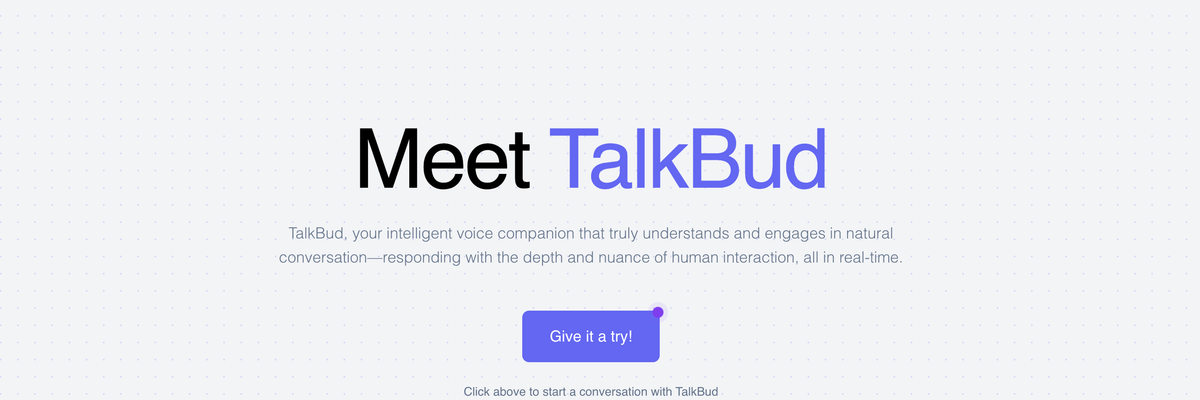
TalkBud

TalkBud is a voice AI platform that enables the design, deployment, and interaction of conversational voice agents. It blends real-time speech synthesis and understanding so creators can build engaging voice experiences. By allowing natural voice interactions and easy sharing, TalkBud helps users embed humanlike AI companions into apps, services, or projects.
TalkBud Details
Overview of TalkBud
TalkBud is an AI voice platform for creating intelligent voice companions that can listen, understand context, and respond through natural spoken conversations. Users can build customized voice agents, called Buds, for personal assistance, business communication, education, customer service, scheduling, and other interactive experiences.
The platform is designed to make voice AI feel more conversational than a traditional phone menu or command based assistant. A TalkBud agent can maintain context throughout an interaction, respond to follow up questions, and adapt its answers based on the instructions and knowledge provided by its creator.
TalkBud also moves beyond simple conversation by supporting actions and integrations. Depending on the configuration, a Bud can help manage calls, schedule appointments, participate in meetings, access a knowledge base, guide users through processes, and complete connected workflows.
What Is TalkBud
TalkBud is a conversational AI platform that allows users and businesses to create voice based assistants with customized instructions, personalities, knowledge, and behavior. Each assistant can be designed for a particular audience or purpose, giving creators more control over how the voice agent communicates and what it can help users accomplish.
These custom assistants are referred to as Buds. A Bud may act as a scheduling assistant, customer onboarding guide, tutor, productivity coach, order taker, reservation agent, or interactive character. Creators can determine the role of the assistant, the topics it understands, the tone it uses, and the actions it should perform.
TalkBud processes speech in real time so conversations can continue without requiring users to type every request. The system is intended to understand natural language, including conversational phrasing, follow up questions, and requests that depend on information mentioned earlier in the discussion.
Businesses can provide a Bud with specialized information by importing documents, manuals, policies, product information, or other internal resources into its knowledge base. This allows the voice assistant to answer questions using information that is relevant to the organization instead of relying entirely on general AI knowledge.
TalkBud can also support more active forms of assistance. Its call features are designed to help voice agents make or receive calls, share information with callers, collect important details, and assist with appointment scheduling. Workflow and Model Context Protocol support can connect the assistant with external tools so it can perform useful actions instead of only providing spoken answers.
The platform is suitable for people who want an interactive voice companion as well as organizations exploring voice automation. It can be used for customer interactions, training, coaching, education, meetings, productivity, entertainment, and task management.
How To Use TalkBud
Access the Platform
Visit TalkBud and create an account or join the waiting list when access is limited. Some tools and advanced capabilities may be introduced gradually as the platform continues to develop.
Once access is available, open the area for managing your Buds. This is where you can create, customize, test, and interact with your voice assistants.
Create a New Bud
Choose the option to create a new Bud. Start by deciding what the assistant should do and who will interact with it.
A personal Bud might help with planning, learning, recipes, or productivity. A business Bud might answer customer questions, collect orders, schedule appointments, conduct surveys, or guide new customers through an onboarding process.
Giving the assistant one clearly defined purpose can make its conversations more consistent and useful.
Define Its Instructions
Write instructions explaining the Bud’s role, goals, communication style, and limitations. Include the information it should collect, the questions it should ask, and the situations it should avoid handling without additional help.
For example, an appointment scheduling Bud may need to ask for the caller’s name, contact information, preferred date, preferred time, and reason for the appointment. A customer service Bud may need instructions for answering common questions and recognizing when a request should be passed to a person.
Detailed instructions help the assistant understand how it should behave throughout a conversation.
Choose a Voice and Personality
Customize how the Bud sounds and communicates. Select a voice that fits the intended experience and describe the personality the assistant should present.
A customer support assistant may need a calm and professional tone. A learning companion may benefit from an encouraging and patient personality. An interactive character may use a more distinctive speaking style.
TalkBud also supports personalized voice experiences, including voice cloning capabilities for users or organizations that want a voice aligned with a particular brand or preference.
Add a Knowledge Base
Import relevant documents, guides, manuals, service descriptions, policies, or other information the Bud should understand. This gives the assistant a more focused source of knowledge for answering questions.
A company could provide product documentation, frequently asked questions, appointment policies, service areas, or onboarding instructions. An educator could provide lesson material, study notes, or course resources.
Review the uploaded information carefully so the Bud receives accurate, current, and appropriately organized material.
Connect Tools and Actions
Configure integrations when the Bud needs to complete tasks outside the conversation. TalkBud’s workflow and Model Context Protocol capabilities are designed to help assistants interact with connected tools and services.
A Bud may use these connections to schedule an appointment, retrieve information, update a system, start a workflow, or complete several related actions. The available options will depend on the integrations and access provided to the assistant.
Only give the Bud access to the systems and information required for its intended role.
Test the Conversation
Speak with the Bud before making it available to other users. Test common requests, unusual wording, follow up questions, interruptions, and situations where the assistant does not have enough information.
Pay attention to whether the Bud understands the request, remembers earlier details, responds with an appropriate tone, and completes actions correctly.
Update its instructions or knowledge whenever the conversation becomes unclear, inaccurate, or too broad.
Share or Deploy the Bud
After testing, make the Bud available through the supported sharing or deployment options. A voice assistant may be used through a direct interaction, a connected phone experience, an application, a meeting, or a future API integration.
Explain what the Bud can do so users begin the conversation with realistic expectations. Clear introductions and prompts can help people understand what questions they can ask and what tasks the assistant can perform.
Review and Improve Performance
Continue testing the Bud as users interact with it. Look for repeated questions, misunderstood requests, missing information, and situations that require clearer instructions.
Update the knowledge base when business information, policies, products, services, or processes change. Refining the Bud over time can improve the accuracy and consistency of its conversations.
TalkBud Key Features
Real Time Voice Conversations
TalkBud supports live spoken interactions that allow users to communicate without typing. The system processes speech and generates responses in real time to create a smoother conversational experience.
This can make the platform useful in situations where users are driving, cooking, working with their hands, participating in a meeting, or simply prefer speaking to an assistant.
Natural Language Understanding
The platform is built to interpret conversational language instead of requiring rigid commands. Users can explain what they need in their own words, ask follow up questions, and refer to details mentioned earlier.
This helps interactions feel less like navigating a traditional automated phone system and more like speaking with an assistant that understands the direction of the conversation.
Context Awareness
TalkBud can maintain context during a conversation so users do not have to repeat the same information with every request. The assistant can use earlier statements to understand later questions and provide more relevant responses.
Context awareness is especially useful for scheduling, tutoring, customer support, recommendations, onboarding, and other conversations that involve several connected steps.
Custom Bud Creation
Users can create voice assistants with personalized roles, instructions, voices, and behavior. A Bud can be designed for a specific task or adapted to support a wider conversational experience.
This customization allows organizations to create assistants that match their services and communication standards. Individual users can also create Buds for learning, planning, coaching, entertainment, or everyday assistance.
Knowledge Base Support
TalkBud allows creators to provide a voice assistant with specialized documents and information. This can help the Bud answer questions about a company, product, service, process, or subject area.
Knowledge base support is valuable for businesses that need answers to remain consistent with their own documentation. It can also help educators, trainers, and subject matter experts build voice experiences around selected learning materials.
Call Support
TalkBud is designed to support incoming and outgoing calls. A configured Bud may answer questions, provide information, collect caller details, and help schedule appointments.
Call support can help businesses respond when employees are unavailable or when call volume is high. It may also be useful for routine conversations that follow a repeatable process.
Multi Speaker Conversations
TalkBud can participate in conversations involving more than one speaker. The platform is designed to distinguish between participants while maintaining the context of the broader discussion.
This capability can support group discussions, collaborative sessions, training exercises, and meetings where an assistant needs to follow contributions from several people.
Meeting Assistance
A TalkBud assistant can be used in virtual meetings as a source of support. The platform is designed to work with services such as Google Meet and Microsoft Teams.
A meeting Bud may take notes, identify important information, record action items, set reminders, or provide relevant information during the discussion. This allows participants to focus more closely on the conversation.
Live Conversation Integration
TalkBud can join an ongoing conversation and provide assistance without requiring the entire interaction to be directed at the AI. It may listen for relevant requests, retrieve information, take notes, or contribute when needed.
This creates opportunities for voice AI to support human conversations rather than replacing every participant.
Workflow Automation
Users can configure workflows that combine multiple actions into a repeatable process. A Bud may gather information through conversation and then use that information to complete the next steps.
For example, an onboarding workflow could collect customer details, explain the setup process, answer common questions, and record the customer’s progress. A scheduling workflow could identify availability, collect contact information, and confirm an appointment.
Model Context Protocol Support
Model Context Protocol support can help TalkBud connect with external tools, data, and services. These connections allow a voice assistant to retrieve information or perform actions beyond generating a conversational response.
This can make a Bud more useful for operational tasks that require access to calendars, business systems, documents, or other connected resources.
Voice Cloning
TalkBud includes the ability to create a customized voice that reflects a preferred sound or brand identity. This can help organizations maintain a consistent voice across customer interactions.
Voice cloning can also make personal assistants and interactive characters feel more distinctive. Appropriate authorization should be obtained before recreating or deploying another person’s voice.
Customizable Responses
Creators can adjust how a Bud answers questions and communicates with users. Instructions can define tone, response length, terminology, conversational boundaries, and preferred ways of explaining information.
This helps businesses maintain a consistent communication style and allows individual creators to shape the personality of their assistants.
Continuous Improvement
TalkBud is designed to improve through continued use and refinement. Creators can review how the assistant responds, identify weaknesses, and update its instructions or supporting knowledge.
Regular improvements can help a Bud handle more questions accurately while maintaining the intended role and conversational style.
Developer API
TalkBud is developing an API for creators and businesses that want to integrate voice agents into applications, products, and services.
The planned pricing approach focuses on the number of active concurrent bots rather than charging entirely according to conversation minutes. This structure is intended to support longer voice interactions without making each additional minute the primary cost consideration.
TalkBud Use Cases
Appointment Scheduling
A TalkBud assistant can speak with customers, collect scheduling details, check requirements, and help coordinate appointments.
This can reduce repeated phone calls and messages while giving customers a conversational way to request a suitable date and time.
Customer Support
Businesses can create a Bud that answers common questions about products, services, policies, accounts, or processes. The assistant can use an imported knowledge base to provide responses based on company information.
It can handle routine inquiries while allowing more complex or sensitive situations to be directed to a human team member.
Customer Onboarding
A Bud can guide new customers through account setup, product configuration, required forms, and introductory steps.
Customers can ask questions throughout the process instead of reading a long set of instructions without assistance. The Bud can explain each stage and help users understand what they need to do next.
Order Taking
Restaurants, retailers, and service businesses can use a TalkBud assistant to collect orders through spoken conversation.
The assistant can ask follow up questions, clarify selections, record customer information, and confirm the order before it is submitted.
Reservations
A reservation Bud can help users book a table, room, service, event, or other time based experience. It may collect the date, time, party size, contact information, and special requests.
This can provide a more natural alternative to forms while reducing the amount of time employees spend handling routine bookings.
Meeting Support
Professionals can use TalkBud to assist during Google Meet or Microsoft Teams discussions. A Bud may capture notes, organize action items, set reminders, and retrieve relevant information.
This can be helpful for teams that want a clearer record of decisions and responsibilities after a meeting ends.
Education and Tutoring
Educators and learners can create voice assistants for subjects such as coding, mathematics, history, music theory, or language practice.
A tutoring Bud can explain concepts, ask questions, provide examples, and adjust its responses based on the learner’s answers. Voice interaction can make the learning experience feel more active and conversational.
Interview and Presentation Practice
A TalkBud assistant can simulate interview questions, customer conversations, or presentation scenarios. Users can practice speaking aloud and receive an interactive response.
This can help job seekers, sales professionals, students, and public speakers become more comfortable responding in real time.
Employee Training
Organizations can build Buds that simulate customer service calls, sales discussions, onboarding scenarios, or workplace situations.
Employees can practice handling difficult questions and learn how to follow established procedures without involving a live trainer in every session.
Personal Productivity
A personal Bud can help users organize priorities, think through goals, create routines, and discuss upcoming tasks.
Because the interaction is voice based, users can work through ideas naturally without needing to structure every thought as a written prompt.
Recommendations
TalkBud can create assistants that recommend books, recipes, activities, products, or other options based on a conversation about the user’s preferences.
The Bud can ask questions to understand what the user likes and explain why each recommendation may be suitable.
Wellness and Guided Activities
Creators can build Buds for meditation, breathing exercises, reflection, and general wellness routines.
A voice assistant can guide users through a timed activity while allowing them to remain focused on the exercise instead of reading instructions from a screen.
Surveys and Feedback Collection
A TalkBud assistant can conduct spoken surveys and collect responses from customers, employees, event participants, or research subjects.
The assistant can ask a consistent sequence of questions while allowing respondents to answer naturally and provide additional context.
Interactive Characters
TalkBud can be used to build educational or entertainment focused characters inspired by historical figures, fictional roles, or original personalities.
These Buds can create interactive storytelling, guided learning, museum experiences, games, and other conversational content.
Real Estate Assistance
A real estate focused Bud can discuss property preferences, answer introductory questions, collect lead information, and help users identify suitable listings or next steps.
It can provide initial assistance before a customer speaks with an agent, allowing the human professional to begin with more useful information.
Shipping and Subscription Support
Businesses can create Buds that answer delivery questions, explain shipping updates, help customers understand subscription plans, or guide users through common account requests.
This can reduce the workload associated with repetitive inquiries while keeping support available through a conversational channel.
TalkBud FAQ
What is TalkBud used for?
TalkBud is used to create and interact with conversational AI voice assistants. These assistants can support personal tasks, business calls, scheduling, meetings, customer service, education, training, recommendations, and workflow automation.
What is a Bud?
A Bud is a customized voice assistant created through TalkBud. Its creator can define its purpose, personality, instructions, voice, knowledge, and behavior.
Each Bud can be designed for a particular task, audience, business, subject, or conversational experience.
Can I create my own TalkBud assistant?
Yes. TalkBud provides tools for creating a custom Bud with personalized instructions, voice, and behavior.
Users can begin with a clear purpose, add relevant knowledge, choose how the assistant should communicate, and test the resulting conversations.
Does TalkBud support spoken conversations?
Yes. TalkBud is designed for real time voice interaction. Users can speak naturally, and the assistant can listen, interpret the request, and answer through voice.
Can TalkBud remember the conversation?
TalkBud is designed to maintain context during an active conversation. This allows a Bud to understand follow up questions and use information that was mentioned earlier.
The amount and duration of available memory may depend on the product configuration and the features available to the user.
Can TalkBud answer phone calls?
TalkBud lists support for making and receiving calls. A configured voice assistant may provide information, answer routine questions, collect caller details, and assist with appointment scheduling.
Availability may depend on account access, product development, and the calling integrations being used.
Can TalkBud join meetings?
TalkBud is designed to support meeting assistance through platforms such as Google Meet and Microsoft Teams.
A meeting Bud may take notes, organize action items, set reminders, and provide information during a discussion.
Can I add my own business information?
Yes. TalkBud supports knowledge base imports, allowing users to provide documents, manuals, policies, product information, and other specialized content.
This can help a Bud answer questions using information that is specific to a business or use case.
Does TalkBud support multiple speakers?
TalkBud includes multi speaker conversation capabilities. It is designed to distinguish between participants and maintain context across a group discussion.
Can TalkBud complete tasks?
TalkBud can support workflows and connections with external tools through Model Context Protocol. These capabilities are intended to allow a Bud to perform actions in addition to answering questions.
The available actions depend on the tools, permissions, integrations, and workflows configured by the creator.
Does TalkBud offer voice cloning?
TalkBud lists voice cloning as one of its capabilities. This allows creators to develop a more personalized voice for a Bud or create a voice that better matches a brand.
Users should only clone voices they have permission to use.
Does TalkBud support multiple languages?
Multilingual support is listed as a planned capability. The availability of particular languages and real time translation features may change as the platform develops.
Users should verify current language support before building a Bud for a multilingual audience.
Is TalkBud available to everyone?
TalkBud may use a waiting list or limited access process for some tools. Availability can depend on the feature, account type, and stage of product development.
Visit the platform directly to review the latest access options.
Does TalkBud have an API?
TalkBud is developing an API for integrating its voice assistants into external applications, services, and products.
The API page currently presents access as upcoming, so developers may need to join the API waiting list or contact TalkBud for more information.
How does TalkBud API pricing work?
TalkBud has described a planned model based on the concurrency of active bots rather than charging only by the number of minutes used.
Final pricing, limits, and availability should be confirmed directly with TalkBud before planning a production deployment.
Do I need coding experience to use TalkBud?
Creating and configuring a Bud is presented as a customizable platform experience that may not require advanced programming for basic use.
Developers may need technical knowledge when working with APIs, Model Context Protocol connections, custom workflows, or integrations with external systems.
Can TalkBud be used for business automation?
Yes. TalkBud can be configured for appointment scheduling, customer support, order collection, onboarding, reservations, surveys, meetings, and other repeatable business processes.
Its usefulness will depend on the quality of the instructions, knowledge, integrations, and testing provided by the business.
Can TalkBud replace human employees?
TalkBud can automate routine conversations and structured tasks, but it may not be appropriate for every request. Complex, sensitive, emotional, regulated, or unusual situations may still require human judgment.
Businesses should define clear boundaries and provide a reliable way for users to reach a person when necessary.
How can I improve a TalkBud assistant?
Use clear instructions, provide accurate supporting information, test realistic conversations, and review where the assistant gives incomplete or confusing answers.
Continue updating the knowledge base and workflow rules as products, services, policies, and user needs change.
Explore More AI Agents
Discover other AI agents and tools to enhance your workflow and productivity.
Browse All AgentsRelated AI Agents
View All Agents →
Placement API
Placement API is an API and hosted MCP server that lets AI agents and SEO tools research and buy backlink placements. Agents can search publishers from 10 suppliers, compare supplier prices for the same domain, and turn a brief into a priced link plan with suspect domains filtered out. Read-only keys handle research, while purchases need a separate order key, prepaid credits, and server-enforced spending caps. Searching the catalogue and signing up are free.

Tale
Tale is an open-source project workspace for teams and AI agents. Teammates plan tasks on a shared board, assign work to people or agents, and review the results together, while agents run in persistent sandboxes using runtimes such as Claude Code and Codex. It combines task boards, shared knowledge, workflows, and governance controls, and can be self-hosted with Docker or run as managed Cloud. Tale is MIT licensed, and the free Community edition includes every feature.

VoiceDrop
VoiceDrop is a ringless voicemail and SMS platform built for sales teams. It clones a user’s voice from roughly a 30-second sample and delivers personalized voicemails to US mobile and VoIP numbers without ringing the phone, with two-way SMS in the same workflow. Billing applies only to successful deliveries, and the platform includes SOC 2 Type II compliance, Do Not Call suppression, phone validation, a REST API, and Zapier and Make integrations.
Trending AI Agents
View All Agents →
Site Speak
SiteSpeak AI lets you train a custom chatbot on your website content, FAQs, and documents. Site Speak AI can answer visitor questions instantly, 24/7, with no coding required.

Murf AI
Murf AI is a text-to-speech platform that transforms written content into lifelike voiceovers. It’s perfect for creators, educators, and businesses needing high quality narration without recording audio manually.

Synthesia
Synthesia is an AI video generation platform that lets users create professional-looking videos using realistic AI avatars. It enables anyone to turn text into engaging videos in minutes—no cameras, microphones, or actors required.
Placement API
Placement API is an API and hosted MCP server that lets AI agents and SEO tools research and buy backlink placements. Agents can search publishers from 10 suppliers, compare supplier prices for the same domain, and turn a brief into a priced link plan with suspect domains filtered out. Read-only keys handle research, while purchases need a separate order key, prepaid credits, and server-enforced spending caps. Searching the catalogue and signing up are free.
Tale
Tale is an open-source project workspace for teams and AI agents. Teammates plan tasks on a shared board, assign work to people or agents, and review the results together, while agents run in persistent sandboxes using runtimes such as Claude Code and Codex. It combines task boards, shared knowledge, workflows, and governance controls, and can be self-hosted with Docker or run as managed Cloud. Tale is MIT licensed, and the free Community edition includes every feature.
VoiceDrop
VoiceDrop is a ringless voicemail and SMS platform built for sales teams. It clones a user’s voice from roughly a 30-second sample and delivers personalized voicemails to US mobile and VoIP numbers without ringing the phone, with two-way SMS in the same workflow. Billing applies only to successful deliveries, and the platform includes SOC 2 Type II compliance, Do Not Call suppression, phone validation, a REST API, and Zapier and Make integrations.