
Rossy AI

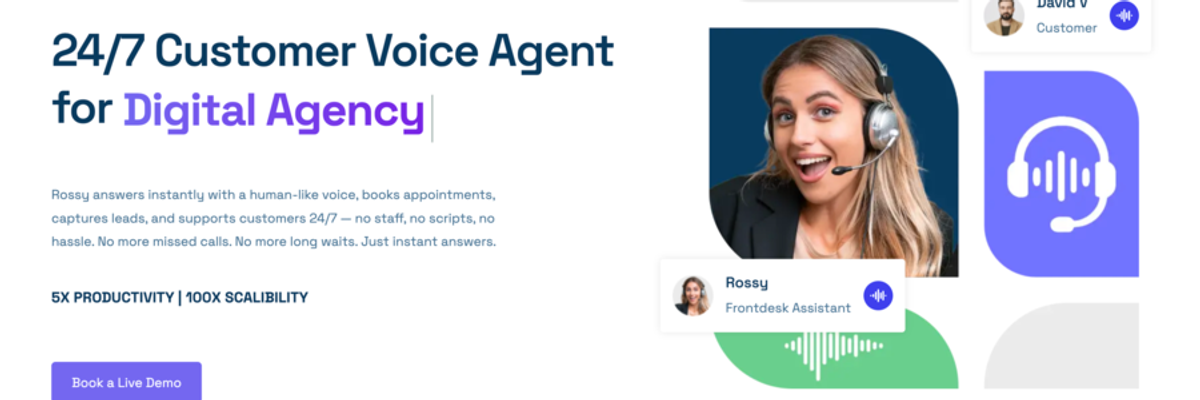
Rossy AI is a 24/7 AI voice agent that answers business phone calls with a natural, human-like voice. It helps companies handle customer inquiries, qualify leads, book appointments, and route calls to human agents when needed, ensuring no inbound call is missed.
Rossy AI Details
Overview of Rossy AI
What Is Rossy AI?
Rossy AI is an AI voice agent designed to help businesses answer phone calls, speak with customers, qualify leads, schedule appointments, and route conversations to the appropriate team members.
The platform provides continuous phone coverage using a natural and conversational AI voice. Rossy AI can answer calls during regular business hours, evenings, weekends, holidays, and periods of high call volume.
This allows businesses to remain available when employees are busy, working with other customers, or unavailable to answer the phone.
Rossy AI can function as a virtual receptionist, customer service assistant, lead qualification agent, appointment setter, and first point of contact for sales inquiries.
Instead of forcing callers to select options from a traditional phone menu, Rossy AI allows people to explain what they need using normal speech. The voice agent can interpret the request, ask relevant questions, provide information, and determine the appropriate next action.
Rossy AI can be trained using information about a company’s services, products, business hours, service areas, pricing, policies, scheduling requirements, and frequently asked questions.
This allows the voice agent to provide answers that reflect the specific business it represents rather than relying on generic responses.
When Rossy AI cannot complete a request, it can transfer the caller to a human representative or collect information for a later response. Relevant details from the conversation can be preserved so the customer does not need to repeat the entire situation.
Rossy AI is designed for businesses that depend on phone calls to generate leads, schedule services, support customers, or manage sales opportunities.
It may be useful for local service companies, professional service providers, agencies, software companies, automotive businesses, ecommerce companies, clinics, educational organizations, and customer support teams.
How Does Rossy AI Work?
Rossy AI connects an AI voice agent to a business phone number or existing call process.
The business provides information about how calls should be answered, what the agent should know, which questions it should ask, and what actions it is permitted to perform.
When a customer calls, Rossy AI answers with a configured greeting. It listens to the customer’s request and uses the business information provided during setup to guide the conversation.
Depending on the caller’s needs, Rossy AI may answer a question, collect contact information, qualify a potential customer, schedule an appointment, send a notification, or transfer the conversation to a human representative.
After the call, Rossy AI can create a recording, transcript, summary, and structured record of the conversation.
This gives the business a clear view of why the customer called, what information was collected, and what action was taken.
How To Use Rossy AI
Define the Purpose of the Voice Agent
Begin by determining what Rossy AI should accomplish during each type of call.
The voice agent may be responsible for answering common questions, qualifying leads, booking appointments, collecting messages, routing support requests, or providing basic information about products and services.
A business may create different conversation flows for sales calls, customer support requests, appointment changes, billing questions, and general inquiries.
Provide Business Information
Add accurate information about the company, including services, products, hours, locations, pricing, policies, service areas, and frequently asked questions.
This information gives Rossy AI the context it needs to answer callers accurately.
Businesses should review this information regularly so the voice agent does not provide outdated answers.
Configure the Conversation Flow
Determine how Rossy AI should greet callers, which questions it should ask, and how it should respond to common situations.
A home service company may ask about the customer’s location, property type, service request, urgency, and preferred appointment time.
A software company may ask about company size, technical needs, current systems, budget, and interest in a product demonstration.
Create Lead Qualification Questions
Businesses can define questions that help Rossy AI identify strong potential customers.
The agent may collect the caller’s name, phone number, email address, location, service need, budget, timeline, and purchasing intent.
Qualified callers can then be transferred to a sales representative or scheduled for a consultation.
Connect Scheduling Tools
Rossy AI can be connected to a business calendar or scheduling system.
The voice agent can check availability, offer appointment times, and schedule consultations, demonstrations, estimates, or service visits during the call.
Scheduling rules can account for employee availability, business hours, appointment duration, location, and service type.
Establish Call Routing Rules
Businesses can determine when Rossy AI should transfer a conversation to a person or department.
Calls may be routed based on customer intent, urgency, location, service category, account status, or answers provided during the conversation.
When no employee is available, Rossy AI may collect a message, schedule a return call, or send a notification to the appropriate team member.
Connect the Business Phone Number
Rossy AI may be connected to a dedicated phone number or integrated with an existing call process through call forwarding.
This allows a business to introduce AI call handling without immediately replacing its current phone system.
Review Call Records
Businesses can review recordings, transcripts, summaries, captured lead information, and appointment activity.
These records can reveal common customer questions, recurring objections, missed opportunities, and areas where the conversation flow needs improvement.
Improve the Voice Agent
Rossy AI can be adjusted based on real customer conversations.
Businesses can update instructions, qualification questions, routing conditions, business information, and scheduling rules over time.
Regular improvements can help the agent provide clearer answers and collect more useful information.
Rossy AI Key Features
Natural Voice Conversations
Rossy AI uses conversational speech to create a more natural phone experience.
Callers can explain what they need without navigating a traditional phone menu.
The voice agent can ask additional questions and continue the conversation using information the caller has already provided.
Continuous Call Coverage
Rossy AI can answer calls throughout the day, including outside normal business hours.
This helps businesses capture opportunities that might otherwise be sent to voicemail or lost when employees are unavailable.
Fast Call Response
Rossy AI can answer calls quickly rather than placing customers in a long queue.
A faster response can be valuable for sales inquiries, urgent service requests, appointment scheduling, and competitive local service markets.
Business Knowledge Training
Rossy AI can be configured using information about a company’s offerings, policies, hours, locations, and frequently asked questions.
This allows the agent to provide answers that reflect the specific business.
Lead Capture
The voice agent can collect names, phone numbers, email addresses, locations, service needs, and other customer details during a live conversation.
This information can be organized and sent to sales or customer service teams.
Lead Qualification
Rossy AI can ask predefined questions to evaluate the caller’s needs, timeline, location, budget, and intent.
Qualified opportunities can be transferred to a sales representative, scheduled for an appointment, or entered into a sales process.
Appointment Scheduling
Rossy AI can offer available appointment times and schedule consultations, demonstrations, estimates, or service visits during the call.
This allows customers to complete the scheduling process without waiting for an employee to respond.
Intelligent Call Routing
The voice agent can route conversations to the correct employee, department, or business location.
Routing decisions can be based on the purpose of the call, customer answers, employee availability, urgency, and business rules.
Human Escalation
Rossy AI can transfer calls when a conversation requires human judgment, advanced knowledge, or personal attention.
This allows the AI agent to manage routine conversations while employees focus on more complex issues.
Conversation Context
Information from the conversation can be preserved when a call is transferred or assigned for later action.
The receiving employee can review what the customer requested and which details have already been collected.
Call Recordings
Businesses can review previous conversations for training, quality control, customer service, and process improvement.
Recordings may also help teams confirm what was discussed during a call.
Call Transcripts
Rossy AI can convert phone conversations into written transcripts.
Transcripts make it easier to search call content, review specific details, and share information with other team members.
Call Summaries
The platform can create summaries that explain the reason for the call, the information collected, and the result of the conversation.
This reduces the amount of time employees spend listening to complete recordings.
Notifications
Rossy AI can send call information through text or email notifications.
Businesses can receive updates about new leads, scheduled appointments, support requests, and unsuccessful transfer attempts.
Calendar Connections
The platform can connect with scheduling tools to check availability and create appointments.
Calendar connections help prevent scheduling conflicts and allow appointments to be confirmed during the call.
Workflow Connections
Rossy AI can connect call activity with other business processes.
A completed conversation may create a support request, notify an employee, send a confirmation message, or add customer details to another system.
Custom Call Logic
Businesses can create different instructions for different types of callers and requests.
Rossy AI can use separate conversation flows for sales inquiries, existing customers, emergency requests, appointment changes, billing questions, and general support.
Managed Setup
Rossy AI can assist businesses with configuring conversation flows, scheduling rules, routing logic, business information, and connected tools.
This may be useful for companies that want voice automation without building the entire system independently.
Centralized Call Management
The Rossy AI dashboard can provide a central location for reviewing calls, leads, appointments, recordings, transcripts, and summaries.
This helps businesses manage phone activity without relying on handwritten notes or disconnected systems.
Rossy AI Use Cases
Virtual Receptionist
Rossy AI can answer incoming calls, greet customers, explain services, collect information, and direct callers to the correct person.
This may be useful for small businesses that do not have a dedicated receptionist.
Inbound Lead Qualification
The voice agent can ask questions that help determine whether a caller matches the company’s target customer.
Qualified opportunities can be transferred immediately or sent to the sales team with the relevant details.
Outbound Customer Conversations
Rossy AI may support outbound call processes such as appointment confirmations, lead contact, customer reminders, and information collection.
Businesses should configure outbound calls according to applicable privacy, consent, and communication requirements.
Appointment Booking
Rossy AI can schedule consultations, demonstrations, estimates, service visits, and other appointments.
This can help businesses reduce delays caused by repeated calls and messages.
After Hours Call Coverage
The voice agent can answer calls when employees are unavailable.
Customers can still receive information, describe their needs, qualify for services, or schedule appointments instead of reaching voicemail.
Call Overflow Management
Rossy AI can handle additional calls when employees are already speaking with other customers.
This may reduce wait times and prevent callers from ending the conversation before receiving assistance.
Customer Support
The voice agent can answer common questions about services, accounts, policies, orders, appointments, and business procedures.
Complex requests can be transferred or documented for a human support representative.
Sales Support
Rossy AI can answer initial product questions, collect prospect information, qualify interest, and schedule conversations with the sales team.
This allows sales representatives to focus on callers who have already provided useful information.
Service Request Intake
Contractors and local service businesses can use Rossy AI to collect information about the customer’s problem, property, location, urgency, and preferred appointment time.
The request can then be scheduled, routed, or sent to a dispatcher.
Appointment Confirmations
Rossy AI can support appointment reminder and confirmation processes.
This may help businesses reduce missed appointments and identify scheduling changes before the appointment time.
Frequently Asked Questions
Rossy AI can answer repeated questions about business hours, service areas, pricing, policies, availability, and appointment requirements.
Automating these conversations can reduce the number of routine calls handled by employees.
Customer Information Collection
Rossy AI can collect structured information before a human representative joins the conversation.
This allows employees to begin with a clearer understanding of the customer’s needs.
Multiple Location Routing
Businesses with several offices or service areas can direct callers to the correct location based on geography, service type, or employee availability.
This may be useful for franchises, clinics, agencies, automotive businesses, and service companies operating across multiple markets.
Ecommerce Support
Online retailers can use Rossy AI to assist with product questions, order status, delivery concerns, return policies, refund requests, and billing inquiries.
The agent can resolve routine questions or create a request for a support representative.
Software and SaaS Calls
Software companies can use Rossy AI to answer product questions, qualify prospects, schedule demonstrations, assist with basic onboarding, and route technical issues.
The agent may also collect account or billing information before sending the request to the appropriate team.
Digital Agency Calls
Marketing and development agencies can use Rossy AI to answer new business inquiries, ask prospects about their goals, collect project information, and schedule discovery calls.
Existing clients can also be routed to the appropriate account or support contact.
Home Service Businesses
Plumbers, electricians, heating and cooling companies, pest control providers, cleaners, remodelers, and other service companies can use Rossy AI to manage incoming customer requests.
The agent can ask about the service needed, collect the customer’s location, identify urgency, and schedule or route the request.
Automotive Businesses
Dealerships, repair shops, and automotive service providers can use Rossy AI to schedule appointments, answer availability questions, collect vehicle information, and route sales or service calls.
Professional Services
Law firms, accounting firms, consultants, insurance agencies, and other professional service providers can use Rossy AI for initial intake, appointment scheduling, and call routing.
The system can collect general information before transferring the caller to an appropriate employee.
Who Should Consider Rossy AI?
Rossy AI may be suitable for organizations that receive frequent phone calls and need a more consistent way to answer, organize, and route them.
It may be especially useful for businesses that regularly miss calls, depend on appointments, receive inquiries outside normal hours, or spend significant employee time answering repetitive questions.
Growing companies may also use Rossy AI to support existing employees without immediately hiring additional phone staff.
Businesses should determine which conversations can be handled by an AI agent and which situations should always involve a person.
Complex complaints, emergencies, sensitive matters, and unusual customer requests may require clear escalation procedures.
Benefits of Using Rossy AI
Rossy AI can help businesses respond to callers more quickly and provide coverage beyond the availability of their employees.
The platform may reduce the number of calls sent to voicemail, improve lead capture, simplify appointment scheduling, and create a more consistent customer intake process.
Call transcripts and summaries can also give businesses greater visibility into customer needs, common questions, and sales opportunities.
By handling routine conversations, Rossy AI may allow employees to spend more time on complex customer issues, sales conversations, and operational work.
Important Considerations
Businesses should keep all information provided to Rossy AI accurate and current.
Incorrect business hours, pricing, policies, service areas, or scheduling rules could create a poor customer experience.
Call transfer procedures should be tested to ensure urgent and sensitive requests reach the correct person.
Businesses should also consider applicable laws and industry requirements involving call recording, customer consent, privacy, automated communications, and data storage.
Rossy AI should be configured with clear boundaries. The voice agent should not provide information or make commitments that the business has not approved.
Regular reviews of recordings, transcripts, and summaries can help identify inaccurate answers, incomplete call flows, and opportunities for improvement.
Rossy AI Pricing
Rossy AI is offered as a managed AI voice solution.
Pricing may depend on call volume, conversation complexity, required connections, customization, and the level of setup or ongoing support needed.
Businesses should contact Rossy AI directly to confirm current pricing, available plans, usage limits, included features, and support options.
Explore More AI Agents
Discover other AI agents and tools to enhance your workflow and productivity.
Browse All AgentsRelated AI Agents
View All Agents →
Placement API
Placement API is an API and hosted MCP server that lets AI agents and SEO tools research and buy backlink placements. Agents can search publishers from 10 suppliers, compare supplier prices for the same domain, and turn a brief into a priced link plan with suspect domains filtered out. Read-only keys handle research, while purchases need a separate order key, prepaid credits, and server-enforced spending caps. Searching the catalogue and signing up are free.

Tale
Tale is an open-source project workspace for teams and AI agents. Teammates plan tasks on a shared board, assign work to people or agents, and review the results together, while agents run in persistent sandboxes using runtimes such as Claude Code and Codex. It combines task boards, shared knowledge, workflows, and governance controls, and can be self-hosted with Docker or run as managed Cloud. Tale is MIT licensed, and the free Community edition includes every feature.

VoiceDrop
VoiceDrop is a ringless voicemail and SMS platform built for sales teams. It clones a user’s voice from roughly a 30-second sample and delivers personalized voicemails to US mobile and VoIP numbers without ringing the phone, with two-way SMS in the same workflow. Billing applies only to successful deliveries, and the platform includes SOC 2 Type II compliance, Do Not Call suppression, phone validation, a REST API, and Zapier and Make integrations.
Trending AI Agents
View All Agents →
Site Speak
SiteSpeak AI lets you train a custom chatbot on your website content, FAQs, and documents. Site Speak AI can answer visitor questions instantly, 24/7, with no coding required.

Murf AI
Murf AI is a text-to-speech platform that transforms written content into lifelike voiceovers. It’s perfect for creators, educators, and businesses needing high quality narration without recording audio manually.

Synthesia
Synthesia is an AI video generation platform that lets users create professional-looking videos using realistic AI avatars. It enables anyone to turn text into engaging videos in minutes—no cameras, microphones, or actors required.
Placement API
Placement API is an API and hosted MCP server that lets AI agents and SEO tools research and buy backlink placements. Agents can search publishers from 10 suppliers, compare supplier prices for the same domain, and turn a brief into a priced link plan with suspect domains filtered out. Read-only keys handle research, while purchases need a separate order key, prepaid credits, and server-enforced spending caps. Searching the catalogue and signing up are free.
Tale
Tale is an open-source project workspace for teams and AI agents. Teammates plan tasks on a shared board, assign work to people or agents, and review the results together, while agents run in persistent sandboxes using runtimes such as Claude Code and Codex. It combines task boards, shared knowledge, workflows, and governance controls, and can be self-hosted with Docker or run as managed Cloud. Tale is MIT licensed, and the free Community edition includes every feature.
VoiceDrop
VoiceDrop is a ringless voicemail and SMS platform built for sales teams. It clones a user’s voice from roughly a 30-second sample and delivers personalized voicemails to US mobile and VoIP numbers without ringing the phone, with two-way SMS in the same workflow. Billing applies only to successful deliveries, and the platform includes SOC 2 Type II compliance, Do Not Call suppression, phone validation, a REST API, and Zapier and Make integrations.