
LockedIn

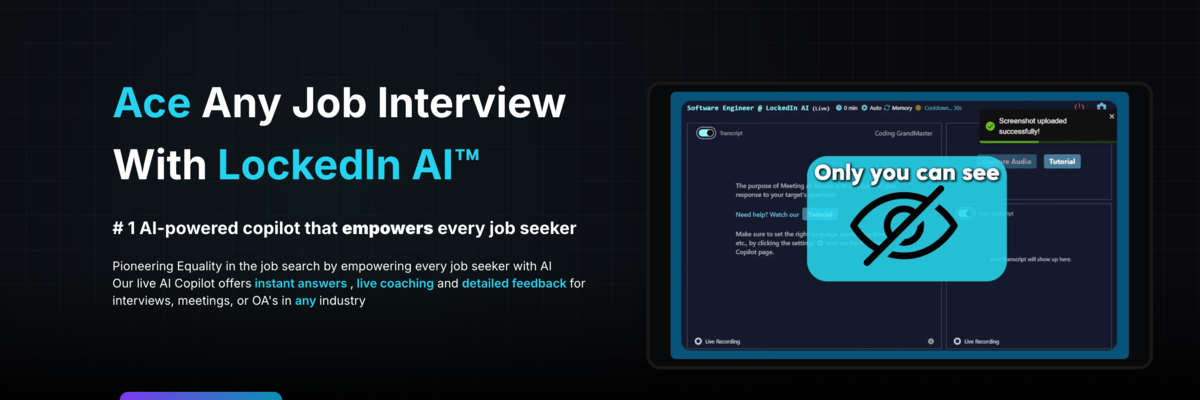
LockedIn AI is a real-time interview and meeting copilot that delivers live coaching, intelligent feedback, and adaptive response suggestions. It analyzes your speech, tone, and on-screen context to help you communicate more clearly and confidently. By combining conversational understanding with performance analytics, LockedIn AI helps users excel in interviews, presentations, and professional meetings.
LockedIn Details
Overview of LockedIn
LockedIn AI is an artificial intelligence interview assistant and meeting copilot that provides personalized guidance during live professional conversations. It listens to spoken questions, analyzes the context of the discussion, and generates relevant answer suggestions that the user can privately reference while speaking.
The platform is designed for job interviews, technical assessments, professional meetings, sales calls, presentations, and other situations where a person may need to organize ideas quickly. Users can upload a resume, provide a job description, select a target role, and configure the type of conversation they are preparing for. LockedIn AI uses this information to create guidance that is more relevant to the user’s background and goals.
LockedIn AI can assist before, during, and after an interview. Before a session, users can practice with simulated interview questions. During a live conversation, the platform can generate structured responses, coding guidance, talking points, and communication feedback. Afterward, users can review transcripts, performance scores, and recommendations for improving future responses.
The platform supports behavioral interviews, software engineering interviews, system design discussions, consulting cases, finance interviews, project management conversations, sales calls, and other professional scenarios. Its combination of live assistance and performance analysis makes it useful for both interview preparation and continuing communication development.
What Is LockedIn AI
LockedIn AI is a live interview copilot that uses speech recognition and artificial intelligence to understand questions as they are asked. It then produces response suggestions based on the conversation, the user’s professional background, and the role being discussed.
Instead of presenting the same general advice to every user, LockedIn AI allows the experience to be personalized. A user can upload a resume and job description so the platform can identify relevant skills, projects, achievements, and responsibilities. When an interviewer asks a question, the generated guidance can reference information that is more closely connected to the user’s actual experience.
For behavioral questions, LockedIn AI can help organize responses into a clear structure. It may suggest which experience to discuss, what actions to emphasize, and how to connect the result to the position. This can help users avoid vague answers and communicate the value of their previous work more clearly.
For technical interviews, the platform can assist with programming problems, algorithm explanations, debugging, code review, and system design. It can break complex questions into smaller steps and help users explain the reasoning behind a possible solution. LockedIn AI also offers support for online assessments completed through common technical testing platforms.
The platform includes an AI copilot and an AI coach that can operate during the same session. The copilot focuses on generating possible answers and useful information. The coaching component evaluates communication factors such as pacing, clarity, tone, and response structure. This gives the user both content guidance and feedback on how that content is delivered.
LockedIn AI is also designed for professional meetings and conversations outside the traditional hiring process. It can help users prepare responses during client calls, organize ideas during presentations, answer questions in sales meetings, and communicate more confidently in workplace discussions.
How To Use LockedIn AI
Create Your Account
Begin by creating a LockedIn AI account. New users can access the platform and explore available interview assistance and practice features before selecting a paid plan.
After creating an account, review the available application options and select the experience that fits your intended use. LockedIn AI provides live assistance through its supported interface and desktop application.
Configure Your Professional Profile
Add information about your experience, skills, industry, and target role. Uploading a resume gives LockedIn AI additional context that it can use when creating response suggestions.
The information provided should be current and accurate. Include important projects, responsibilities, achievements, technologies, leadership experiences, and measurable results that may be relevant during an interview.
Add the Job Description
Provide the job description for the position you are pursuing. LockedIn AI can analyze the listed responsibilities, qualifications, skills, and preferred experience to understand what the employer may prioritize.
Adding the job description helps the platform connect interview questions with relevant parts of your background. It can also help generate guidance that uses terminology associated with the position and industry.
Select the Interview Type
Choose the type of interview or professional conversation you expect to have. The platform can adapt its assistance for behavioral interviews, technical interviews, coding challenges, system design discussions, case interviews, sales conversations, and other formats.
Selecting the correct format helps LockedIn AI determine how responses should be structured. A behavioral interview may require concise examples from previous experience, while a system design interview may require architecture decisions, tradeoffs, and scalability considerations.
Customize the Response Settings
Adjust the response style to match your communication preferences. Users may want concise talking points for fast conversations or more detailed guidance for complex technical questions.
The response length should make it easy to review suggestions without losing focus on the conversation. Users can also configure available controls and shortcuts so they can access assistance without repeatedly navigating through menus.
Practice With a Mock Interview
Use the practice environment to become familiar with the platform before an important conversation. A mock interview allows users to answer realistic questions and evaluate how effectively they communicate their experience.
Practice sessions can help identify responses that are too long, unclear, incomplete, or missing relevant examples. Repeated practice also gives users an opportunity to improve their natural delivery rather than relying entirely on generated suggestions.
Begin a Live Session
Open LockedIn AI before joining the interview or meeting. The platform captures the relevant audio, identifies questions, and generates guidance as the conversation progresses.
The user remains responsible for delivering the response. The generated content can be used as a framework, reminder, or source of supporting ideas rather than something that must be repeated exactly.
Review Suggestions During the Conversation
When a question is detected, review the suggested response and select the ideas that accurately represent your knowledge and experience. Focus on the most relevant points rather than attempting to include every generated detail.
Users should ensure that all information they share is truthful. Generated suggestions may need to be adjusted to reflect the user’s actual responsibilities, technical knowledge, and professional experience.
Review the Session Report
After the conversation, examine the transcript, performance analysis, scores, and improvement recommendations. The report can help identify communication patterns that may not be obvious while the conversation is happening.
Pay attention to areas such as response clarity, organization, pacing, completeness, and relevance. These insights can guide future preparation and help users build stronger interview habits over time.
LockedIn AI Key Features
Live Interview Assistance
LockedIn AI listens to interview questions and generates response suggestions while the conversation is taking place. This can help users organize their thoughts and identify important points under pressure.
The guidance adapts as the conversation develops. Follow up questions can be interpreted in relation to earlier parts of the discussion, allowing the platform to provide more contextually relevant suggestions.
Personalized Response Generation
Users can provide a resume, job description, role information, and other professional context. LockedIn AI uses this material to personalize its suggestions.
This personalization can help users connect questions with relevant projects, responsibilities, achievements, and skills. It also reduces the need to manually search through preparation notes during a live conversation.
Behavioral Interview Support
LockedIn AI can help users structure answers to questions about teamwork, leadership, conflict, failure, problem solving, and professional growth.
The platform can suggest an appropriate experience and organize the response around the situation, responsibility, action, and result. This makes it easier to provide a complete example rather than an unstructured description.
Technical Interview Support
The platform assists with programming questions, algorithms, debugging, code explanations, and technical decision making. It can help users understand the problem, consider possible solutions, and explain their reasoning.
Technical support is useful for candidates interviewing for software engineering, data, infrastructure, security, product, and other technology focused roles.
Coding Copilot
LockedIn AI includes coding assistance for technical interviews and assessments. Users can receive help understanding programming problems, reviewing code, identifying errors, and considering improvements.
The coding copilot can also help users explain complexity, compare alternative approaches, and prepare for follow up questions about the proposed solution.
System Design Guidance
For system design interviews, LockedIn AI can help organize requirements, identify major components, discuss data flow, and evaluate architecture decisions.
It can surface considerations involving scalability, databases, caching, reliability, security, messaging, and infrastructure. Users can then apply the suggestions that are appropriate for the specific problem.
Online Assessment Support
LockedIn AI can assist with questions presented during online hiring assessments. This may include technical questions, recorded interview prompts, and other evaluation formats.
The platform supports audio based input and can interpret questions from different assessment environments. Users should confirm that outside assistance is allowed before using the platform during an evaluation.
Dual AI Assistance
The platform combines response generation with communication coaching. One component focuses on what the user could say, while another evaluates how effectively the response is being delivered.
This approach can help users improve both the substance and presentation of their answers. Strong content may be less effective when it is delivered without structure, confidence, or clarity.
Live Communication Coaching
LockedIn AI can evaluate speaking factors such as pacing, tone, clarity, and answer organization. It can provide suggestions that help the user communicate in a more controlled and professional manner.
This feature may be particularly useful for users who speak too quickly, provide overly long answers, use excessive filler words, or have difficulty reaching the main point.
Mock Interview Practice
Users can simulate interview scenarios before attending a real interview. Practice sessions generate questions based on the selected role, industry, and interview format.
The feedback from these sessions can help users refine examples, improve weak responses, and become more comfortable discussing their experience.
Post Session Reports
LockedIn AI can provide transcripts, performance scores, and recommendations after a completed session. These reports help users review the conversation in greater detail.
Instead of relying only on memory, users can see which questions were asked, how they responded, and which communication areas may require additional work.
Multilingual Support
The platform supports conversations in multiple languages and can assist users interviewing with international companies or multilingual teams.
Language support may also help candidates who understand a subject well but need assistance expressing their knowledge clearly in the language used during the interview.
Meeting Platform Compatibility
LockedIn AI can work alongside common online meeting platforms by analyzing system audio. This allows users to access assistance during interviews and meetings conducted through popular video conferencing tools.
Because the platform processes the conversation separately, users do not need the interviewer or meeting host to install an additional application.
Desktop Application
The desktop application provides access to live assistance while users work across other applications. It is designed to remain available without requiring constant switching between windows.
Users can configure shortcuts and visibility settings based on their preferences. These controls can make it easier to reference suggestions while maintaining focus on the conversation.
Remote Human Assistance
LockedIn AI includes an option that allows a trusted person to provide guidance during a session. This combines AI generated support with input from someone familiar with the user or subject.
The helper can observe the session and provide suggestions when additional human judgment is useful. Users remain in control of whether and when this access is granted.
Development Tool Integration
LockedIn AI offers functionality for developers working inside supported code editors. Users can select code and send it to the copilot for explanation, review, debugging, or additional context.
This can help technical candidates receive assistance without leaving their development environment during preparation or supported coding activities.
LockedIn AI Use Cases
Behavioral Job Interviews
Candidates can use LockedIn AI to prepare responses about leadership, teamwork, conflict, adaptability, failure, and problem solving. The platform helps connect each question with a relevant professional example.
It can also help users keep responses focused on their individual contribution and the outcome of the situation.
Software Engineering Interviews
Software engineering candidates can receive guidance with algorithms, data structures, coding problems, debugging, and technical explanations.
LockedIn AI can help users move from understanding a question to presenting a logical solution. It can also suggest issues that an interviewer may ask about next.
System Design Interviews
Candidates applying for experienced engineering roles can use the platform to organize system design discussions.
LockedIn AI can help identify functional requirements, technical constraints, major services, storage options, scaling strategies, and architectural tradeoffs.
Project Management Interviews
Project managers can use LockedIn AI to prepare examples involving planning, prioritization, stakeholder communication, risk management, deadlines, and team coordination.
The platform can help transform broad experiences into clear answers that demonstrate ownership and measurable impact.
Product Management Interviews
Product candidates can receive assistance with product strategy, prioritization, user research, metrics, execution, and cross functional collaboration.
LockedIn AI can help organize product cases and ensure that responses consider users, business goals, technical constraints, and measurable outcomes.
Consulting Case Interviews
Consulting candidates can use the platform to structure case questions, clarify the problem, identify key assumptions, and organize recommendations.
The generated guidance may help candidates approach unfamiliar business situations more systematically while maintaining a clear conversation with the interviewer.
Finance Interviews
Candidates interviewing for finance roles can use LockedIn AI to review technical concepts, organize market discussions, and prepare responses about financial analysis.
The platform can also help users explain their reasoning clearly when discussing valuation, accounting, investment decisions, or business performance.
Sales Interviews and Calls
Sales professionals can use LockedIn AI during interview preparation, discovery calls, demonstrations, and client conversations.
The platform can suggest relevant questions, objection responses, value propositions, and follow up points based on the direction of the discussion.
Executive Interviews
Candidates pursuing leadership roles can use LockedIn AI to prepare examples involving strategy, organizational change, team development, decision making, and business results.
The platform can help users present complex leadership experiences in a concise and structured way.
Professional Meetings
LockedIn AI can assist users during internal meetings, client conversations, planning sessions, and presentations.
It may help users answer unexpected questions, summarize key ideas, identify next steps, and communicate recommendations more confidently.
Interview Practice
Job seekers can use mock sessions to practice before speaking with a recruiter or hiring manager.
The platform can generate role specific questions and provide feedback that helps users strengthen their responses before the real conversation.
Communication Development
Professionals can use session reports and coaching feedback to improve pacing, clarity, organization, and confidence.
This makes LockedIn AI useful not only for a single interview but also for developing communication skills that may benefit future meetings and presentations.
LockedIn AI FAQ
What does LockedIn AI do?
LockedIn AI listens to live interviews and professional conversations, identifies questions, and generates personalized response suggestions. It also provides communication coaching, practice sessions, coding assistance, and post session performance reports.
Is LockedIn AI only for job interviews?
No. Although interview assistance is a primary use case, the platform can also support meetings, sales calls, presentations, technical discussions, and other professional conversations.
Can LockedIn AI personalize its answers?
Yes. Users can provide a resume, job description, target role, and interview context. LockedIn AI uses this information to make its suggestions more relevant to the user’s experience and goals.
Does LockedIn AI support technical interviews?
Yes. The platform provides assistance with coding questions, debugging, algorithms, technical explanations, system design, and online assessments.
Can I practice before a real interview?
Yes. LockedIn AI includes interview simulation and practice features. Users can answer realistic questions and receive feedback on their responses before attending a live interview.
Does LockedIn AI provide answers in real time?
Yes. The platform analyzes questions and generates suggestions while the conversation is taking place. Actual response speed may depend on the device, internet connection, selected model, and complexity of the question.
Does LockedIn AI work with video meeting platforms?
LockedIn AI is designed to work alongside common video conferencing and meeting platforms by analyzing system audio. Compatibility may depend on the operating system, application permissions, and platform configuration.
Does LockedIn AI support multiple languages?
Yes. LockedIn AI supports multiple languages and accents. This can be useful for international interviews and multilingual professional conversations.
Does LockedIn AI offer coding assistance?
Yes. Its coding copilot can help analyze programming questions, review code, identify possible errors, suggest solutions, and explain technical reasoning.
Can LockedIn AI help with behavioral questions?
Yes. The platform can help users select relevant experiences and organize them into structured behavioral responses. It can also suggest details that demonstrate the user’s actions and results.
Does LockedIn AI provide feedback after an interview?
Yes. Users can review session transcripts, performance analysis, scores, and recommendations. These reports can help identify strengths and areas that need more practice.
Is LockedIn AI free?
LockedIn AI offers free access for new users along with premium options for additional features and usage. Current limits and pricing should be confirmed directly on the official website.
Do I need to download an application?
Some LockedIn AI features are available through its application experience, while the desktop application provides additional live assistance and privacy controls. Users should review the current system requirements before beginning a session.
Can another person assist me through LockedIn AI?
LockedIn AI offers a remote assistance feature that allows a trusted helper to provide guidance during a session. The user controls access to the session and can remove the helper when assistance is no longer needed.
Is LockedIn AI suitable for beginners?
Yes. The platform can be used by students, recent graduates, career changers, and experienced professionals. Beginners may find the practice sessions and structured response suggestions especially helpful.
Can LockedIn AI guarantee that I will receive a job offer?
No. LockedIn AI can help users prepare, organize responses, and improve communication, but it cannot guarantee an interview result. Hiring decisions depend on the employer, the candidate’s qualifications, interview performance, and other factors.
Should I repeat every generated answer exactly?
No. Generated suggestions should be treated as guidance. Users should select relevant ideas, adjust the wording naturally, and ensure every statement accurately represents their own experience and knowledge.
Is using LockedIn AI allowed during every interview?
Rules vary by employer, recruiter, assessment provider, school, and certification organization. Users should confirm whether artificial intelligence assistance is permitted before using the platform during an interview or assessment.
Explore More AI Agents
Discover other AI agents and tools to enhance your workflow and productivity.
Browse All AgentsRelated AI Agents
View All Agents →
Placement API
Placement API is an API and hosted MCP server that lets AI agents and SEO tools research and buy backlink placements. Agents can search publishers from 10 suppliers, compare supplier prices for the same domain, and turn a brief into a priced link plan with suspect domains filtered out. Read-only keys handle research, while purchases need a separate order key, prepaid credits, and server-enforced spending caps. Searching the catalogue and signing up are free.

Tale
Tale is an open-source project workspace for teams and AI agents. Teammates plan tasks on a shared board, assign work to people or agents, and review the results together, while agents run in persistent sandboxes using runtimes such as Claude Code and Codex. It combines task boards, shared knowledge, workflows, and governance controls, and can be self-hosted with Docker or run as managed Cloud. Tale is MIT licensed, and the free Community edition includes every feature.

VoiceDrop
VoiceDrop is a ringless voicemail and SMS platform built for sales teams. It clones a user’s voice from roughly a 30-second sample and delivers personalized voicemails to US mobile and VoIP numbers without ringing the phone, with two-way SMS in the same workflow. Billing applies only to successful deliveries, and the platform includes SOC 2 Type II compliance, Do Not Call suppression, phone validation, a REST API, and Zapier and Make integrations.
Trending AI Agents
View All Agents →
Site Speak
SiteSpeak AI lets you train a custom chatbot on your website content, FAQs, and documents. Site Speak AI can answer visitor questions instantly, 24/7, with no coding required.

Murf AI
Murf AI is a text-to-speech platform that transforms written content into lifelike voiceovers. It’s perfect for creators, educators, and businesses needing high quality narration without recording audio manually.

Synthesia
Synthesia is an AI video generation platform that lets users create professional-looking videos using realistic AI avatars. It enables anyone to turn text into engaging videos in minutes—no cameras, microphones, or actors required.
Placement API
Placement API is an API and hosted MCP server that lets AI agents and SEO tools research and buy backlink placements. Agents can search publishers from 10 suppliers, compare supplier prices for the same domain, and turn a brief into a priced link plan with suspect domains filtered out. Read-only keys handle research, while purchases need a separate order key, prepaid credits, and server-enforced spending caps. Searching the catalogue and signing up are free.
Tale
Tale is an open-source project workspace for teams and AI agents. Teammates plan tasks on a shared board, assign work to people or agents, and review the results together, while agents run in persistent sandboxes using runtimes such as Claude Code and Codex. It combines task boards, shared knowledge, workflows, and governance controls, and can be self-hosted with Docker or run as managed Cloud. Tale is MIT licensed, and the free Community edition includes every feature.
VoiceDrop
VoiceDrop is a ringless voicemail and SMS platform built for sales teams. It clones a user’s voice from roughly a 30-second sample and delivers personalized voicemails to US mobile and VoIP numbers without ringing the phone, with two-way SMS in the same workflow. Billing applies only to successful deliveries, and the platform includes SOC 2 Type II compliance, Do Not Call suppression, phone validation, a REST API, and Zapier and Make integrations.