
Crew AI

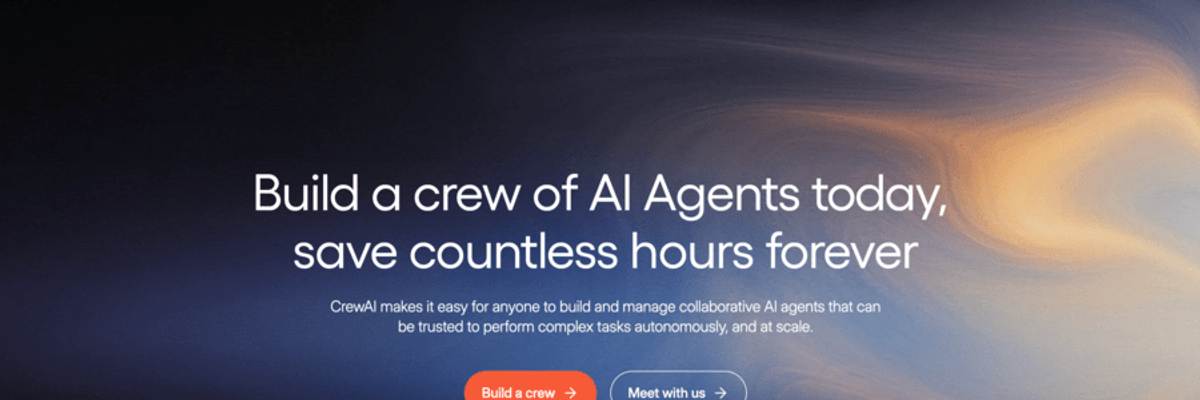
Crew AI is an open-source framework for building and coordinating collaborative AI agents. It enables developers to create specialized agents with defined roles and tools that work together to complete complex workflows. By supporting multi-agent teamwork, Crew AI makes it easier to design scalable, autonomous systems for research, content creation, business automation, and data analysis.
Crew AI Details
Overview of Crew AI
Crew AI is an open source framework for building teams of artificial intelligence agents that collaborate on complex tasks. Instead of relying on one general purpose agent to complete every step, developers can create specialized agents with different roles, goals, tools, knowledge sources, and responsibilities.
These agents can operate as a coordinated crew. One agent may research a topic, another may analyze the findings, and another may produce the final result. Crew AI manages how tasks are assigned, how information moves between agents, and how the completed work is returned to the application.
The framework combines autonomous crews with structured flows. Crews provide collaborative reasoning and task execution, while flows give developers more control over application logic, state, conditions, and execution order. This combination makes Crew AI useful for experiments, internal automation tools, customer facing applications, and production agent systems.
What Is Crew AI
Crew AI is a Python based framework for creating and orchestrating collaborative AI agents. Each agent can be configured with a specific role, goal, background, language model, set of tools, and instructions.
A crew is a collection of agents working together to complete one or more tasks. Developers decide which agents are included, what each agent should do, and how the tasks should be processed.
For example, a content creation crew could include a research agent, an outline agent, a writing agent, and an editing agent. The research agent gathers information, the outline agent organizes it, the writing agent produces a draft, and the editing agent reviews the final output.
Crew AI also includes flows for building more structured applications. A flow can manage application state, receive external inputs, trigger crews, route information, evaluate results, and decide which step should run next. This allows developers to combine flexible agent reasoning with predictable application logic.
Crew AI can connect agents to language models, APIs, databases, search tools, files, internal business systems, and custom Python functions. Developers can use existing tools or create specialized tools for their own workflows.
The open source framework can be used locally, while Crew AI also provides enterprise capabilities for deployment, monitoring, access management, governance, and production operations.
How To Use Crew AI
Using Crew AI begins with identifying a process that can be divided into clear roles and tasks. The workflow should have a defined objective, useful inputs, and an expected output.
1. Install Crew AI
Developers can install Crew AI in a Python environment and create a new project using the Crew AI command line tools. The generated project structure provides locations for agents, tasks, crews, tools, configuration files, and application logic.
API keys for the selected language models and connected services must also be added to the project environment.
2. Define the Agent Roles
Create the agents that will participate in the workflow. Each agent should have a focused role instead of a vague responsibility.
An agent configuration may include a role, a goal, a background description, a language model, available tools, knowledge sources, memory settings, and delegation permissions.
Clear agent roles can improve task distribution and make the workflow easier to test. A research agent should focus on collecting information, while a review agent should focus on checking accuracy and quality.
3. Create the Tasks
Tasks describe the work that agents need to complete. Each task can contain detailed instructions, an expected output, assigned tools, input context, and the agent responsible for completing it.
Tasks should explain what success looks like. A task requesting market research could specify the target industry, geographic area, competitors, comparison criteria, and required output structure.
The output of one task can be passed into another task. This allows agents to build on previous work without repeating the entire process.
4. Assemble the Crew
Combine the agents and tasks into a crew. The crew configuration determines how the agents collaborate and how tasks are executed.
A sequential process runs tasks in a defined order. This is useful when every stage depends on the output of the previous stage.
A hierarchical process uses a manager agent to coordinate the crew, delegate work, and review task results. This can be helpful for workflows that require more flexible delegation and supervision.
5. Add Tools and Knowledge
Agents can be connected to tools that allow them to perform actions or retrieve information. Tools may include web search, databases, APIs, calculators, file readers, code execution, customer relationship management systems, and custom business functions.
Knowledge sources can give agents access to documents, internal information, product materials, policies, or other relevant context. This can help agents generate answers grounded in information provided by the organization.
Developers should limit each agent to the tools and knowledge it actually needs. This can reduce unnecessary actions and make the system easier to manage.
6. Build a Flow
For more advanced applications, developers can place crews inside a Crew AI flow. The flow controls the larger application process.
Flows can preserve state, respond to events, create branches, route data, run Python functions, trigger crews, pause for human input, and resume a workflow later.
A flow could receive a customer request, classify the request, send it to the appropriate crew, review the response, request human approval when necessary, and save the approved result to another system.
7. Run and Test the Workflow
The crew can be started with structured inputs. During testing, developers should review agent decisions, tool usage, task outputs, errors, model costs, and execution time.
Testing each agent and task separately can make problems easier to identify. After the individual components work correctly, the complete crew can be tested with realistic inputs.
8. Deploy and Monitor
Completed Crew AI projects can be integrated into applications, exposed through an API, connected to external triggers, or deployed through Crew AI enterprise services.
Production workflows should include logging, error handling, access controls, usage monitoring, output validation, and human review for sensitive decisions.
Crew AI Key Features
Specialized AI Agents
Developers can create agents with individual roles, objectives, tools, instructions, and knowledge. This makes it possible to divide a complex process among multiple focused agents.
Collaborative Agent Crews
Agents can share context and contribute to a common objective. Each member of the crew can handle a different part of the workflow before passing its output to the next agent.
Structured Flows
Flows provide control over state, routing, events, conditions, and execution order. They help developers build dependable applications around more flexible agent behavior.
Sequential Processes
Tasks can run in a specific order. This works well for workflows such as research, analysis, writing, review, and publication.
Hierarchical Processes
A manager agent can coordinate other agents, delegate tasks, and evaluate results. This provides an additional layer of supervision for complex crews.
Custom Tools
Developers can create Python tools that connect agents to APIs, databases, software platforms, internal systems, or custom functions.
Knowledge Integration
Agents can use documents and other knowledge sources to provide more relevant context during task execution.
Memory
Memory features can help agents retain useful information during a workflow. This can support continuity when tasks require information from earlier interactions or previous steps.
Human Input
Crew AI workflows can include human approval and intervention. A person can review important outputs, provide additional instructions, or decide whether the workflow should continue.
Task Guardrails
Guardrails can be used to validate task outputs and prevent unsuitable results from moving through the workflow. Developers can define checks for formatting, required fields, quality, and other conditions.
Flexible Language Model Support
Crew AI can work with different language models and providers. Developers can select models based on quality, cost, speed, privacy, or application requirements.
Structured Outputs
Tasks can return structured information instead of unformatted text. This is useful when results must be passed into an API, database, application interface, or another automation step.
State Management
Flows can preserve and update information as the application runs. This is important for workflows that involve several stages, branches, or external events.
Event Based Automation
Flows can react to triggers and events. A Crew AI workflow may begin when a form is submitted, a message arrives, a record changes, or another connected system sends information.
Observability
Production tools can provide execution traces, logs, usage data, and visibility into language model calls, tool calls, memory access, and workflow performance.
Deployment Options
Developers can run Crew AI locally, connect it to an existing application, deploy it through their own infrastructure, or use Crew AI services for managed deployment and monitoring.
Crew AI Use Cases
Content Research and Writing
A crew can research a subject, organize findings, create an outline, write a draft, and perform an editorial review. Different agents can focus on research quality, writing style, search intent, factual consistency, and final formatting.
Market Research
Agents can gather competitor information, identify market patterns, compare products, summarize customer feedback, and prepare structured research reports.
Sales Research
Crew AI can support lead enrichment by collecting company information, identifying relevant contacts, analyzing business needs, and preparing personalized outreach context for a sales team.
Customer Support
A support crew can classify incoming requests, retrieve relevant documentation, draft responses, identify urgent cases, and route complicated issues to a human representative.
Software Development
Developers can create agents for requirement analysis, architecture planning, code generation, testing, documentation, and code review. Human approval should remain part of workflows that can change production systems.
Data Analysis
Agents can help retrieve data, explain patterns, create summaries, identify anomalies, and prepare reports. Structured outputs can make the findings easier to send into dashboards or other applications.
Business Process Automation
Crew AI can automate processes that require several decisions or areas of expertise. Examples include document review, onboarding preparation, report generation, internal requests, and operational research.
Financial Research
A crew can gather company information, organize financial data, compare performance indicators, and produce a research summary. Financial decisions should still be reviewed by qualified professionals.
Human Resources
Agents can assist with job description creation, candidate information organization, interview preparation, onboarding materials, and internal policy questions.
Legal Research Support
Crew AI can help organize documents, summarize information, extract important clauses, and prepare research materials. Legal conclusions and decisions should be reviewed by a qualified legal professional.
Product Management
Product teams can use crews to summarize customer feedback, compare feature requests, research competitors, draft product requirements, and prepare release documentation.
Marketing Automation
A marketing crew can research audiences, develop campaign ideas, create content variations, review messaging, and organize materials for different channels.
Reporting
Agents can collect information from several systems, summarize the findings, highlight important changes, and create recurring operational reports.
Internal Knowledge Assistants
Crew AI can power assistants that use company documents and approved knowledge sources to answer internal questions, guide employees, and locate relevant procedures.
Crew AI FAQ
Is Crew AI open source?
Crew AI provides an open source Python framework that developers can use to build agents, crews, tasks, tools, and flows. The company also offers enterprise products for managed deployment, governance, monitoring, collaboration, and scaling.
Does Crew AI require coding?
The open source framework is primarily designed for Python developers. Crew AI also provides visual and managed tools that can reduce the amount of code needed for some workflows.
What is an agent in Crew AI?
An agent is an AI powered worker configured with a role, goal, instructions, tools, language model, and optional knowledge sources. Agents are usually designed to complete a specific type of work within a larger process.
What is a crew in Crew AI?
A crew is a group of agents assigned to a collection of tasks. The crew defines how the agents work together and how the tasks are processed.
What is a Crew AI flow?
A flow is a structured workflow that controls state, events, conditions, routing, and execution. Flows can run normal Python functions and trigger crews when a task requires collaborative agent reasoning.
What is the difference between a crew and a flow?
A crew handles collaborative work performed by one or more agents. A flow controls the larger application process. Developers can use a flow to manage state and logic while using crews for tasks that benefit from autonomous agent collaboration.
Can Crew AI use different language models?
Yes. Crew AI supports connections to different language model providers. Developers can choose models based on the needs of each agent or workflow.
Can Crew AI connect to external tools?
Yes. Agents can use built in tools, community tools, and custom tools. These tools can connect the workflow to APIs, search services, databases, files, business platforms, and internal systems.
Can Crew AI remember information?
Crew AI includes memory and state management capabilities. The exact configuration depends on whether the developer needs information retained within an agent, crew, task, or flow.
Can humans review Crew AI outputs?
Yes. Human input and approval steps can be added to workflows. This is especially important for financial, legal, medical, security, employment, and other sensitive use cases.
Is Crew AI suitable for production applications?
Crew AI includes features for structured workflows, guardrails, state management, observability, deployment, and human review. Production readiness still depends on how the developer designs, tests, secures, and monitors the application.
Can Crew AI create autonomous agents?
Yes. Agents can make decisions, use tools, communicate with other agents, and complete assigned tasks. Developers should still define boundaries, validation rules, permissions, and approval requirements.
Who should use Crew AI?
Crew AI is suitable for developers, artificial intelligence engineers, automation teams, software companies, data teams, and organizations building applications that require coordinated agents or structured AI workflows.
Why We Featured Crew AI on Add AI Agents
Crew AI provides a practical framework for developers who want to move beyond a single chatbot or prompt. Its role based agent system makes it possible to divide complex work among specialized agents, while flows provide the structure needed to control how an application operates.
We also featured Crew AI because it supports several stages of AI agent development. A developer can begin with a small local crew, add tools and knowledge, introduce structured flows, and later connect the workflow to production infrastructure.
The combination of agents, crews, tasks, tools, guardrails, memory, knowledge, state management, and human oversight gives developers a broad foundation for creating custom agent systems. Crew AI can support simple experiments as well as more advanced business automation projects.
Ready to Try Crew AI?
Crew AI is worth exploring for developers and teams that want to build coordinated AI agents with defined roles and structured responsibilities. Start with a small workflow, assign one clear task to each agent, test every output, and add more complexity only when the basic crew performs reliably.
For production projects, combine crews with flows, validation rules, monitoring, restricted tool permissions, and human approval for important actions.
Explore More AI Agents
Discover other AI agents and tools to enhance your workflow and productivity.
Browse All AgentsRelated AI Agents
View All Agents →
Tale
Tale is an open-source project workspace for teams and AI agents. Teammates plan tasks on a shared board, assign work to people or agents, and review the results together, while agents run in persistent sandboxes using runtimes such as Claude Code and Codex. It combines task boards, shared knowledge, workflows, and governance controls, and can be self-hosted with Docker or run as managed Cloud. Tale is MIT licensed, and the free Community edition includes every feature.

VoiceDrop
VoiceDrop is a ringless voicemail and SMS platform built for sales teams. It clones a user’s voice from roughly a 30-second sample and delivers personalized voicemails to US mobile and VoIP numbers without ringing the phone, with two-way SMS in the same workflow. Billing applies only to successful deliveries, and the platform includes SOC 2 Type II compliance, Do Not Call suppression, phone validation, a REST API, and Zapier and Make integrations.

Arvow
Arvow is an AI SEO platform for marketers and agencies. Its agents help research, write, and publish content in a brand’s voice, identify technical SEO issues, and find relevant sites for contextual backlinks. Arvow also tracks brand mentions across AI search tools, bringing content, site optimization, link building, and AI visibility into one platform.
Trending AI Agents
View All Agents →
Site Speak
SiteSpeak AI lets you train a custom chatbot on your website content, FAQs, and documents. Site Speak AI can answer visitor questions instantly, 24/7, with no coding required.

Murf AI
Murf AI is a text-to-speech platform that transforms written content into lifelike voiceovers. It’s perfect for creators, educators, and businesses needing high quality narration without recording audio manually.

Synthesia
Synthesia is an AI video generation platform that lets users create professional-looking videos using realistic AI avatars. It enables anyone to turn text into engaging videos in minutes—no cameras, microphones, or actors required.
Tale
Tale is an open-source project workspace for teams and AI agents. Teammates plan tasks on a shared board, assign work to people or agents, and review the results together, while agents run in persistent sandboxes using runtimes such as Claude Code and Codex. It combines task boards, shared knowledge, workflows, and governance controls, and can be self-hosted with Docker or run as managed Cloud. Tale is MIT licensed, and the free Community edition includes every feature.
VoiceDrop
VoiceDrop is a ringless voicemail and SMS platform built for sales teams. It clones a user’s voice from roughly a 30-second sample and delivers personalized voicemails to US mobile and VoIP numbers without ringing the phone, with two-way SMS in the same workflow. Billing applies only to successful deliveries, and the platform includes SOC 2 Type II compliance, Do Not Call suppression, phone validation, a REST API, and Zapier and Make integrations.
Arvow
Arvow is an AI SEO platform for marketers and agencies. Its agents help research, write, and publish content in a brand’s voice, identify technical SEO issues, and find relevant sites for contextual backlinks. Arvow also tracks brand mentions across AI search tools, bringing content, site optimization, link building, and AI visibility into one platform.