
Team Shots Pro

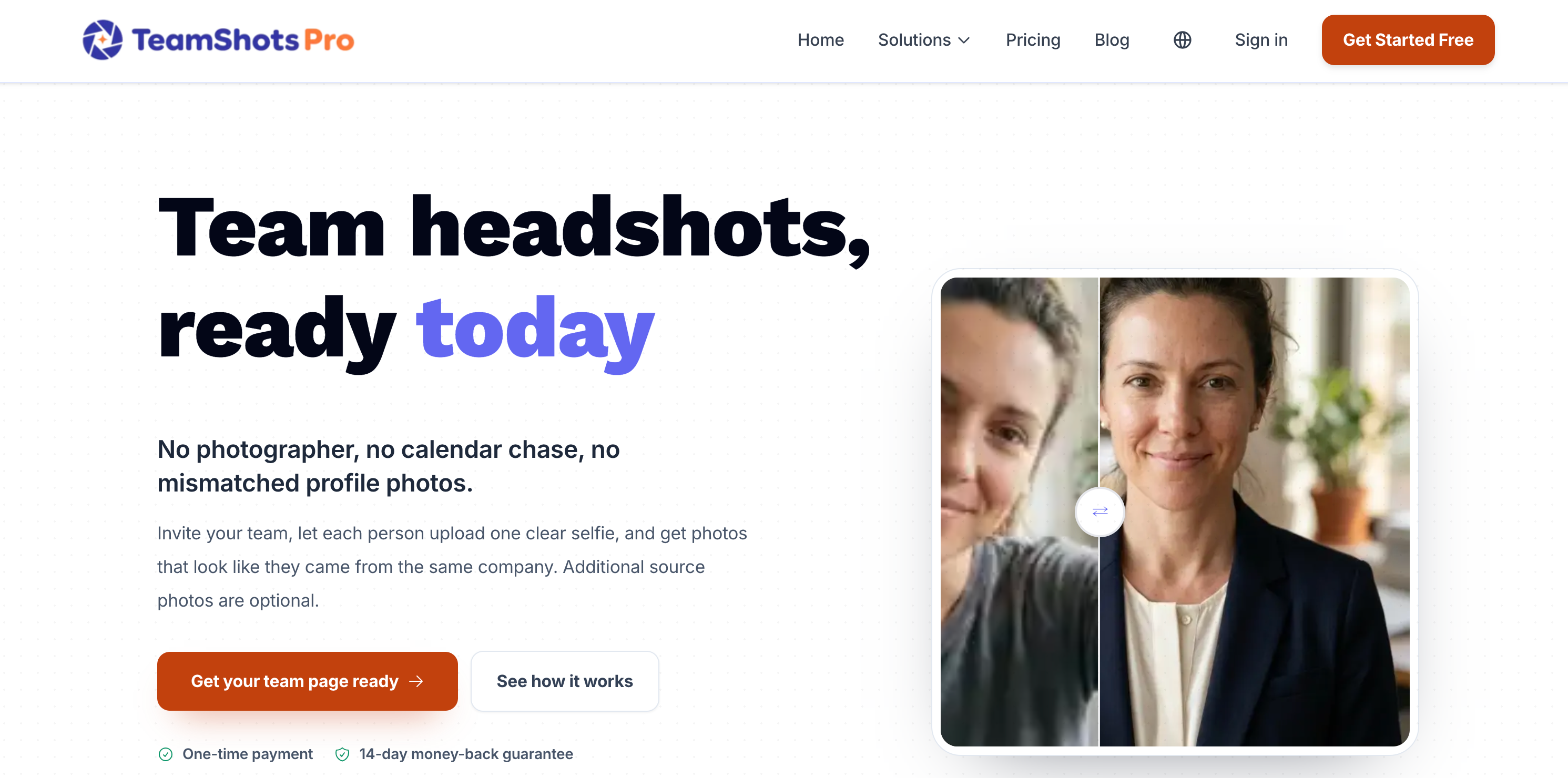
TeamShotsPro is an AI powered headshot platform that helps companies create consistent, professional team photos without organizing a traditional photoshoot. Businesses can invite employees to upload a clear selfie, then generate polished headshots that share a unified company style. The platform supports bulk invitations through HR systems or CSV files, making it useful for remote teams, growing companies, employee directories, websites, LinkedIn profiles, and other professional branding needs.
Team Shots Pro Details
Reviewed by Add AI Directory Editorial Team
View our review methodology →Sources
- Testing status
- Researched Only
- Availability status
- Available
- Limitations
- No additional limitations documented.
Ready to try Team Shots Pro?
Check out Team Shots Pro for pricing and explore how it can streamline your workflow.
TeamShotsPro is an AI headshot platform designed to help companies create professional and visually consistent employee photos without arranging a traditional photoshoot. Team members upload clear selfies, while an administrator selects shared brand preferences such as the background, clothing direction, colors, and pose. The platform then generates polished headshots that can be used across company websites, LinkedIn profiles, employee directories, email signatures, sales materials, and internal communication platforms.
TeamShotsPro is particularly useful for remote, hybrid, and distributed organizations that cannot easily bring every employee into the same photography studio. Instead of coordinating schedules, locations, photographers, and editing, businesses can manage the entire headshot process through a central team workspace.
What Is TeamShotsPro?
TeamShotsPro is an AI powered professional photography platform built for company and team headshots. It transforms ordinary employee selfies into polished business portraits while helping organizations maintain a consistent visual identity across the entire workforce.
The platform gives administrators control over the overall appearance of the finished photos. A company can choose a shared background, pose, clothing direction, lighting style, and branding preferences before inviting employees to participate. These settings help each generated portrait look like part of the same coordinated company photoshoot.
Unlike individual AI portrait tools, TeamShotsPro includes features intended for team rollouts. Administrators can invite multiple employees, upload a list of team members, monitor completion, manage available seats, review results, and add new employees later. This makes the platform suitable for growing organizations that need a repeatable way to keep team photography current.
How To Use TeamShotsPro
Begin by creating a TeamShotsPro account and setting up a workspace for your organization. The administrator can then select the visual style that should be applied to the team’s headshots. This may include preferences for the background, clothing, pose, composition, lighting, and company colors.
Next, invite employees to join the workspace. Invitations can be sent individually, shared through an invitation link, or managed in bulk for larger teams. Each employee follows the provided instructions and uploads a clear selfie from a phone or computer.
The platform processes the uploaded image and generates multiple professional headshot options based on the company’s selected style. Employees or administrators can review the available results and choose the most suitable photos.
Completed headshots can then be downloaded and added to company websites, LinkedIn profiles, employee biographies, email signatures, sales pages, recruiting materials, internal directories, or presentation decks. New employees can also be added to the same workspace later so their photos match the existing team.
TeamShotsPro Key Features
AI Headshot Generation
TeamShotsPro uses artificial intelligence to transform everyday selfies into polished professional portraits. Employees do not need access to photography equipment, studio lighting, or a professional photographer.
Consistent Team Branding
Administrators can establish shared visual guidelines for the entire team. Backgrounds, clothing direction, colors, poses, and other style elements can remain consistent across employee photos.
Team Management Dashboard
A central dashboard allows administrators to organize invitations, monitor employee participation, manage seats, and review the progress of a company wide headshot rollout.
Bulk Team Invitations
Businesses can invite multiple employees instead of managing each person separately. This can make the platform easier to use for departments, agencies, remote teams, and larger organizations.
Mobile Friendly Uploads
Employees can take or upload a selfie using a smartphone. This allows remote and distributed team members to participate without visiting a particular office or photography studio.
Multiple Headshot Options
Each team member receives several generated images, giving the company or employee a selection of professional photos to review and use.
Custom Backgrounds and Styles
Organizations can choose visual settings that fit their brand identity. These options may include professional office backgrounds, neutral studio settings, company colors, clothing styles, and different portrait compositions.
Progress Tracking
Administrators can see which employees have accepted their invitations, uploaded a photo, or completed the generation process. This can reduce the need to manage the project through separate messages and spreadsheets.
New Hire Support
Growing companies can add new team members to the existing workspace. New employees can generate headshots using the same visual preferences as the rest of the organization.
Commercial Usage
Generated headshots can be used for professional business purposes, including company websites, promotional materials, staff directories, social profiles, and employee branding.
One Time Team Pricing
TeamShotsPro offers team based purchasing rather than requiring businesses to maintain a recurring subscription. Pricing can vary according to the number of employees included in the project.
TeamShotsPro Use Cases
Company Team Pages
Businesses can create matching employee portraits for the team or leadership section of a company website. Consistent photography can make the page appear more organized and professionally designed.
Remote Team Headshots
Remote employees can upload selfies from different cities or countries while still receiving headshots that follow the same company style.
LinkedIn Profile Photos
Organizations can provide employees with polished profile photos that support a consistent company presence across LinkedIn.
Employee Directories
TeamShotsPro can generate professional images for internal staff directories, communication platforms, company portals, and organizational charts.
Sales Team Branding
Sales representatives can use consistent headshots across email signatures, proposals, presentations, booking pages, and professional networking profiles.
Recruiting and Human Resources
Human resources teams can coordinate employee headshots without arranging a company wide photography day. The dashboard can also help administrators track which employees have completed the process.
New Employee Onboarding
New hires can receive a professional headshot as part of the onboarding process. Their image can follow the same background and style already used by existing employees.
Agency and Consulting Teams
Agencies, consulting firms, law firms, real estate companies, and professional service providers can create coordinated portraits for client facing employees.
Website Redesigns
Companies preparing to launch or redesign a website can generate updated team photography without waiting for every employee to attend a scheduled photoshoot.
Multi Location Organizations
Businesses with employees across several offices can maintain consistent team photography without hiring separate photographers in every location.
Email Signatures
Generated photos can be added to professional email signatures to help employees create a more recognizable and personable presence.
Speaker and Author Profiles
Employees can use their generated headshots for conference biographies, webinar pages, podcast appearances, articles, reports, and other professional publications.
Who Is TeamShotsPro For?
TeamShotsPro is built primarily for businesses and organizations that need professional headshots for more than one person. It may be especially helpful for remote companies, growing startups, agencies, professional service firms, sales teams, human resources departments, and businesses with employees in multiple locations.
The platform can also support smaller teams that want coordinated photography but do not have the budget or scheduling flexibility required for a traditional photoshoot. Larger organizations may use the administrative features to invite employees in bulk and monitor the completion of the project.
TeamShotsPro may be less suitable for individuals seeking highly artistic portraits or heavily customized editorial photography. Its strongest use case is producing consistent, professional business headshots efficiently across a team.
Benefits of Using TeamShotsPro
One of the main benefits of TeamShotsPro is convenience. Employees can complete the process from their own location using an existing selfie. The company does not need to reserve a studio, coordinate employee schedules, arrange travel, or wait for a photographer to edit every image.
The platform also helps improve visual consistency. When employees independently provide their own profile photos, the results may contain different backgrounds, lighting conditions, crops, camera angles, and image quality. TeamShotsPro gives the organization a way to apply shared style preferences across the entire group.
Another benefit is scalability. New employees can be added after the initial rollout, allowing companies to maintain a consistent visual standard as the team grows. This can be valuable for businesses that frequently hire, operate remotely, or update their staff directory throughout the year.
TeamShotsPro Pricing
TeamShotsPro uses team based pricing that changes according to the number of employees included. Each seat provides a team member with multiple professional headshots and access to the company’s selected style settings.
The platform uses a one time payment model rather than requiring a monthly subscription for team headshots. Volume pricing may reduce the average cost per employee as the number of team members increases.
Businesses should review the current pricing options before purchasing because available packages, included image quantities, guarantees, and team rates may change over time.
TeamShotsPro FAQ
Does TeamShotsPro require a professional camera?
No. Employees can upload a clear selfie taken with a smartphone or another camera. A well lit image with a clear view of the face will generally provide the platform with better source material.
Can every employee use the same background?
Yes. Administrators can select shared background and style preferences so the generated headshots maintain a consistent appearance across the team.
Is TeamShotsPro suitable for remote teams?
Yes. Remote and distributed teams are a central use case for the platform. Each employee can upload a selfie from their own location without visiting a studio.
Can administrators track employee progress?
Yes. The team dashboard allows administrators to monitor invitations and see which employees have completed the headshot process.
Can new employees be added later?
Yes. Companies can add new hires to the existing team workspace and generate additional headshots using the established company style.
What can the generated headshots be used for?
The photos can be used on company websites, LinkedIn profiles, employee directories, email signatures, recruiting pages, sales materials, presentations, and other professional business channels.
Does every employee need to schedule a session?
No. Employees complete the process on their own by uploading a suitable selfie. There is no shared photography appointment to coordinate.
Can companies choose clothing and pose preferences?
Yes. TeamShotsPro provides customization options that allow organizations to guide elements such as clothing direction, pose, colors, background, and overall professional style.
How many photos does each employee receive?
The number of generated photos depends on the current team package. Team members typically receive multiple options so they can select a preferred result.
Is TeamShotsPro a subscription service?
Team headshot packages are offered through a one time payment model rather than a required recurring subscription. Companies should confirm the latest package terms before purchasing.
Can the photos be used commercially?
TeamShotsPro is designed for professional and business use. Organizations can use generated images for company branding, websites, directories, marketing materials, and employee profiles.
Is TeamShotsPro only for large companies?
No. Small businesses and compact teams can also use the platform. Its team management tools become particularly helpful when coordinating headshots for several employees or a distributed workforce.
Why We Featured TeamShotsPro on Add AI Directory
TeamShotsPro addresses a practical problem for businesses that need polished employee photography but cannot easily organize a traditional company photoshoot. Its combination of AI image generation, centralized team management, employee invitations, brand controls, and consistent visual styling makes it more than a basic individual headshot generator.
The platform can help remote and growing organizations create a coordinated professional identity across websites, LinkedIn profiles, staff directories, sales materials, and other business channels. By allowing new employees to join the same workspace later, TeamShotsPro also provides a repeatable process for keeping company photography consistent as the organization changes.
Ready to try Team Shots Pro?
Check out Team Shots Pro for pricing and explore how it can streamline your workflow.
Explore More AI Agents
Discover other AI agents and tools to enhance your workflow and productivity.
Browse all AI agentsSimilar to Team Shots Pro

ReWords AI
ReWords AI is an AI image text editor that lets users replace words embedded inside PNG, JPG, and WebP images. The platform detects existing text, removes the original wording, and inserts replacement text while attempting to preserve the font, color, size, placement, and surrounding background. It can be used to correct text in AI generated images, update promotional graphics, edit product images, localize visual content, and revise finished designs without access to the original source file.

Narkis
Narkis AI lets you create hyper realistic photos and videos of yourself using a custom-trained AI model. Upload 15 photos to generate unlimited portraits, headshots, and virtual try-ons. No photoshoots, gear, or editing skills required.

Better Pic
Better Pic is an AI photo enhancement tool that transforms ordinary images into professional-quality profile pictures. Whether for LinkedIn, resumes, or dating apps, Better Pic makes it easy to create polished, eye-catching photos in seconds—no editing skills required.
Trending AI Agents

Maeve Social
Maeve Social is a social media management platform for planning, approving, scheduling, and publishing content to nine social platforms. It adds a shared inbox, analytics with PDF reports, an AI assistant, and a REST API, CLI, and MCP server for connected automation, with a 3 day free trial.

SuperEbook
SuperEbook is an AI ebook studio that writes ebooks, guides, and lead magnets from your own notes, courses, or transcripts, then designs a cover and exports PDF, EPUB, and DOCX files. Planning an outline is free, new accounts get 50 free credits with no card, and books can also be created from Claude, ChatGPT, and other MCP clients.

DeepCheck
DeepCheck is an AI people finder that searches public profiles and web results in one place. Enter a name, email address, username, or location and it gathers public web pages, images, social accounts, LinkedIn profiles, and web mentions, with an AI organized summary on paid searches. The first search is free with no account or card, and more searches come in one time packs with no subscription.