
ReWords AI
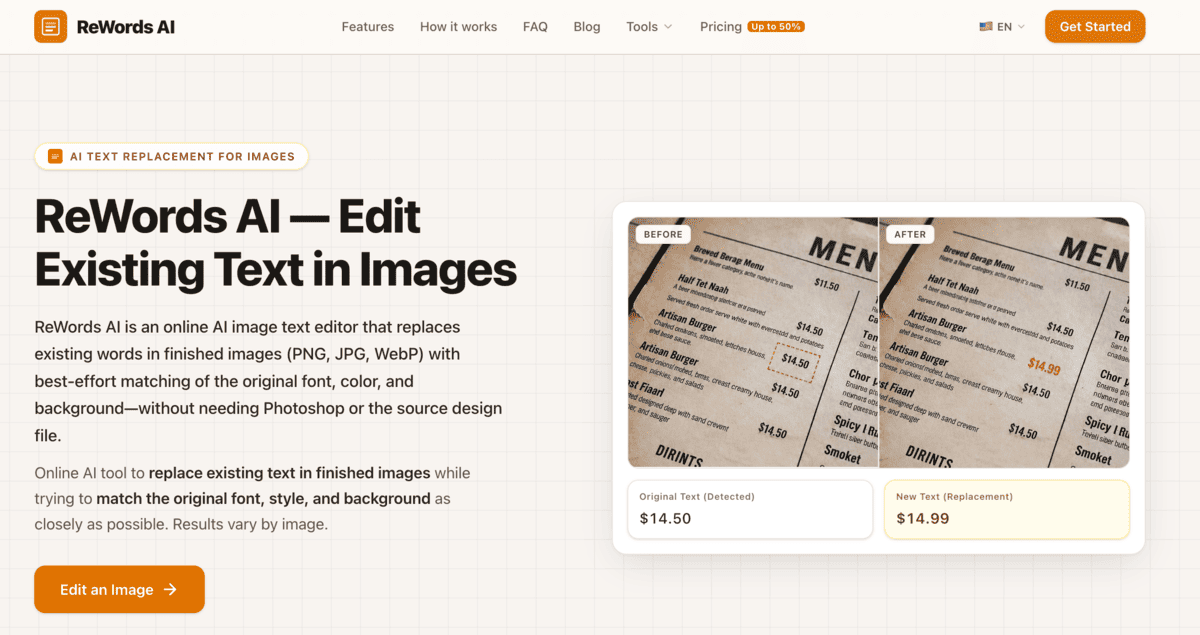
ReWords AI is an AI image text editor that lets users replace words embedded inside PNG, JPG, and WebP images. The platform detects existing text, removes the original wording, and inserts replacement text while attempting to preserve the font, color, size, placement, and surrounding background. It can be used to correct text in AI generated images, update promotional graphics, edit product images, localize visual content, and revise finished designs without access to the original source file.
ReWords AI Details
Reviewed by Add AI Directory Editorial Team
View our review methodology →Sources
- Testing status
- Researched Only
- Availability status
- Available
- Limitations
- No additional limitations documented.
Ready to try ReWords AI?
Check out ReWords AI for pricing and explore how it can streamline your workflow.
ReWords AI is an AI image text editor that replaces existing text inside finished images. Users can upload an image, select the words they want to change, enter replacement text, and generate an updated version without needing the original design file.
What Is ReWords AI?
ReWords AI is an online tool for editing text that already appears inside an image. Instead of placing a new text layer over the image, the platform attempts to remove the original wording, reconstruct the surrounding background, and insert replacement text that matches the existing visual style.
The tool can be used with PNG, JPG, and WebP files. It is designed for situations where someone needs to update a finished image but does not have access to the original Photoshop, Canva, Figma, or other source file.
ReWords AI attempts to match characteristics such as the original font, text size, color, placement, and surrounding background. Results can vary depending on the image quality, font complexity, background texture, and length of the replacement text.
How To Use ReWords AI
Start by uploading a supported image to the ReWords AI workspace. The platform detects text areas within the image, allowing users to select detected text or manually draw a box around wording that was missed.
Enter the new text that should replace the original wording and generate the revised image. ReWords AI processes the selected area, removes the previous text, and attempts to blend the replacement into the existing design.
After reviewing the generated result, users can download the edited image and use it in an advertisement, product listing, presentation, social media post, or other authorized project.
ReWords AI Key Features
Existing Text Replacement
ReWords AI replaces words that are already embedded inside a finished image rather than simply adding another text layer over them.
AI Font and Style Matching
The platform analyzes the selected text and attempts to reproduce its font, size, color, alignment, and overall visual appearance.
Background Reconstruction
ReWords AI attempts to rebuild the area behind the original text so the replacement fits more naturally into the surrounding image.
Automatic Text Detection
The workspace detects text areas inside uploaded images. Users can select detected wording or manually identify an area when necessary.
Multiple Image Formats
The platform supports common image formats, including PNG, JPG, and WebP.
Browser Based Editing
Images can be edited through the online workspace without installing a traditional desktop image editor.
Developer API
ReWords AI also offers a text editing API in beta for developers interested in integrating image text replacement into another application or workflow.
ReWords AI Use Cases
Correct Text in AI Generated Images
Creators can replace misspelled, distorted, or unreadable words that appear inside AI generated artwork and marketing visuals.
Update Posters and Flyers
Businesses can change dates, prices, promotional offers, locations, or event information on a finished poster without rebuilding the entire design.
Edit Product Images
Ecommerce teams can update labels, prices, product names, promotional wording, or localized text inside product and packaging images.
Modify Screenshots
Product teams and marketers can correct numbers, labels, interface wording, and other text inside screenshots they are authorized to edit.
Update Social Media Graphics
Creators can replace captions, headlines, calls to action, and promotional information inside finished social media images.
Localize Creative Assets
Marketing teams can replace wording in an image with translated text for different regions, languages, or advertising campaigns.
Correct Presentation Graphics
Users can update text inside exported presentation graphics, diagrams, and internal creative materials without locating the original source document.
ReWords AI Pricing
ReWords AI uses a freemium pricing model. New users can sign in and try one image edit without providing a credit card.
Additional edits are available through purchased credits or a subscription. A standard 1K image edit uses credits, while higher resolution options such as 2K and 4K are available as subscription benefits.
ReWords AI Limitations
ReWords AI provides best effort text and style matching. It may not reproduce every font, handwritten style, curved text area, complex background, or heavily distorted word perfectly.
Results can also vary when replacement text is significantly longer than the original wording. Users should carefully review generated images before publishing or distributing them.
Users should only edit images, screenshots, documents, and creative assets that they own or have permission to modify.
Frequently Asked Questions
Can ReWords AI edit text that is already inside an image?
Yes. ReWords AI is designed to replace existing text embedded inside a finished image rather than placing a basic text overlay on top of it.
Does ReWords AI match the original font?
ReWords AI analyzes the existing text and attempts to match its font, size, color, placement, and style. The accuracy of the match depends on the image and the complexity of the original typography.
What image formats does ReWords AI support?
ReWords AI supports PNG, JPG, and WebP image files.
Can ReWords AI fix text in AI generated images?
Yes. One of its primary use cases is correcting misspelled or distorted wording inside AI generated images.
Is ReWords AI free?
New users can try one free image edit after signing in. Additional usage requires credits or a paid subscription.
Does ReWords AI require Photoshop?
No. The platform operates through a browser and does not require Photoshop or access to the original layered design file.
Can developers access ReWords AI through an API?
ReWords AI has an image text editing API currently available in beta. Developers must contact the company for access information and current limitations.
Ready to try ReWords AI?
Check out ReWords AI for pricing and explore how it can streamline your workflow.
Explore More AI Agents
Discover other AI agents and tools to enhance your workflow and productivity.
Browse all AI agentsSimilar to ReWords AI

Narkis
Narkis AI lets you create hyper realistic photos and videos of yourself using a custom-trained AI model. Upload 15 photos to generate unlimited portraits, headshots, and virtual try-ons. No photoshoots, gear, or editing skills required.

Better Pic
Better Pic is an AI photo enhancement tool that transforms ordinary images into professional-quality profile pictures. Whether for LinkedIn, resumes, or dating apps, Better Pic makes it easy to create polished, eye-catching photos in seconds—no editing skills required.
Team Shots Pro
TeamShotsPro is an AI powered headshot platform that helps companies create consistent, professional team photos without organizing a traditional photoshoot. Businesses can invite employees to upload a clear selfie, then generate polished headshots that share a unified company style. The platform supports bulk invitations through HR systems or CSV files, making it useful for remote teams, growing companies, employee directories, websites, LinkedIn profiles, and other professional branding needs.
Trending AI Agents

Maeve Social
Maeve Social is a social media management platform for planning, approving, scheduling, and publishing content to nine social platforms. It adds a shared inbox, analytics with PDF reports, an AI assistant, and a REST API, CLI, and MCP server for connected automation, with a 3 day free trial.

SuperEbook
SuperEbook is an AI ebook studio that writes ebooks, guides, and lead magnets from your own notes, courses, or transcripts, then designs a cover and exports PDF, EPUB, and DOCX files. Planning an outline is free, new accounts get 50 free credits with no card, and books can also be created from Claude, ChatGPT, and other MCP clients.

DeepCheck
DeepCheck is an AI people finder that searches public profiles and web results in one place. Enter a name, email address, username, or location and it gathers public web pages, images, social accounts, LinkedIn profiles, and web mentions, with an AI organized summary on paid searches. The first search is free with no account or card, and more searches come in one time packs with no subscription.