
Retool

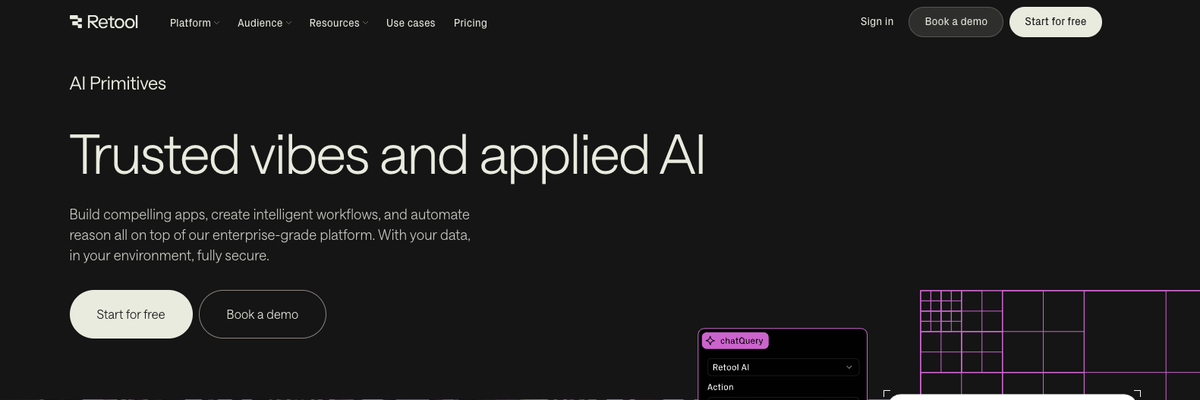
Retool Agents is an enterprise platform for building, deploying, and managing AI agents that can take real action inside business systems. It enables teams to connect language models to internal data, APIs, and workflows—allowing agents to perform tasks, automate decisions, and collaborate safely within governed environments. By combining AI orchestration with Retool’s visual development tools, Retool Agents makes it easy to create scalable, secure, and production-ready autonomous systems for operations, analytics, and customer workflows.
Retool Details
Overview of Retool
Retool Agents gives businesses a structured way to build AI agents that can reason through requests, connect with company systems, use approved tools, and complete operational tasks. These agents can do more than generate a written response. They can retrieve information, call workflows, execute functions, update records, communicate with users, and return the final result of a completed process.
The platform is especially useful for teams that already use Retool to create internal applications, workflows, database interfaces, and operational tools. Instead of building a separate technical environment for artificial intelligence, companies can connect agents with the data sources, queries, permissions, and business logic already available inside Retool.
Retool Agents also includes tools for testing, evaluating, monitoring, and improving agent performance. Developers can inspect individual runs, review the tools an agent selected, measure usage and cost, compare results, and add human approval requirements before important actions are completed.
What Is Retool Agents
Retool Agents is a platform for creating AI agents that can automate business processes using large language models, connected data, custom tools, and Retool workflows. An agent receives a request in natural language, reviews its instructions, determines what information or action is required, and uses its available tools to complete the task.
An agent might search a database, call an external API, run a workflow, execute code, ask another agent for assistance, or return a direct answer. It can continue using tools and reviewing their results until it determines that the assigned task has been completed.
This process allows Retool Agents to support more complex work than a basic chatbot. A chatbot may answer a question based on the information included in a prompt. A Retool agent can retrieve live business data and take action based on that data.
For example, a customer support agent could review an incoming request, find the correct customer account, examine previous conversations, check company policies, suggest a resolution, update the support record, and escalate the case when human assistance is required.
Retool Agents can also be connected to other parts of the Retool platform. Teams can invoke agents from applications and workflows, allowing agent capabilities to become part of existing internal tools and automated processes.
How To Use Retool Agents
Start by identifying a specific business process that requires reasoning, data access, or repeated decision making. A clearly defined process gives the agent a focused objective and makes its results easier to evaluate.
Create a new agent inside Retool and provide instructions that explain its role, responsibilities, limitations, and expected output. Good instructions should describe what the agent is trying to accomplish, which rules it must follow, and when it should request human assistance.
Choose the large language model that will power the agent. The appropriate model may depend on the complexity of the task, the required response quality, acceptable processing time, and operating cost.
Next, connect the tools the agent needs to perform its work. Retool Agents can use functions, workflows, other agents, supported core tools, and tools imported through a Model Context Protocol server. Each tool should have a clear purpose and should only provide the level of access required for the agent to complete its assigned task.
After adding tools, test the agent through the chat interface. Give it realistic requests and review how it interprets instructions, selects tools, processes returned information, and creates its final response.
Use logs to inspect individual agent runs. Logs can help reveal whether the agent selected the correct tool, passed the correct input, followed the intended sequence, and stopped at the appropriate point.
Create datasets and test cases to evaluate the agent more consistently. A dataset can contain representative requests and expected outcomes. Reviewers can then score the agent based on accuracy, tool selection, response quality, or other defined requirements.
Once the agent performs reliably, it can be deployed through chat, email, Retool applications, or workflows. A workflow can also invoke an agent according to a schedule or after a specific event occurs.
Continue monitoring the agent after deployment. Review activity, usage, cost, failures, and unusual behavior so instructions and tools can be improved as the business process changes.
Retool Agents Key Features
Connected Business Data
Retool Agents can work with the systems and data sources connected to a Retool organization. This allows an agent to retrieve current information from databases, internal services, software platforms, and external APIs.
Access to live data can make an agent more useful than a general assistant that only relies on information included in its original prompt.
Custom Agent Tools
Developers can create custom functions that give agents controlled access to specific business actions. A tool might retrieve an account, update an order, calculate a value, create a ticket, send a message, or submit information to another system.
Custom tools allow teams to define exactly what an agent can do instead of giving it unrestricted access to an entire platform.
Retool Workflow Integration
Existing Retool workflows can be added as agent tools. This allows teams to reuse established automation logic rather than rebuilding every process specifically for an agent.
Workflows can also invoke agents, which helps teams create automated processes that combine predictable business logic with flexible AI reasoning.
Multiple Model Options
Teams can select from supported large language models based on the needs of an agent. Different models may be appropriate for simple classification, detailed analysis, tool selection, content generation, or processes that require more advanced reasoning.
This flexibility can help organizations balance performance, processing speed, and cost.
Agent Evaluation
Retool Agents includes evaluation capabilities for measuring how well an agent performs. Teams can create datasets, define test cases, add reviewers, score agent runs, and compare results.
Evaluation is important when an agent is responsible for repeatable business tasks. It provides a more structured method for testing changes than relying only on individual conversations.
Run Monitoring
The monitoring interface provides visibility into agent activity, individual runs, model usage, resources, and cost. Teams can inspect how an agent processed a request and identify where a failure or unexpected decision occurred.
This level of visibility is useful when moving an agent from an early experiment into a production business process.
Detailed Logs
Agent logs show the steps taken during a run. Developers can review inputs, tool calls, returned results, and the final output.
Logs make it easier to diagnose incorrect tool selection, incomplete instructions, missing data, or unnecessary steps.
Human Approval Controls
Teams can require user consent before an agent executes certain tools. This helps keep a person involved when an action is sensitive, expensive, difficult to reverse, or connected to important business data.
Human approval can be especially valuable for financial actions, customer communications, account changes, and other high impact decisions.
Agent Collaboration
An agent can use another agent as a tool. This allows teams to separate a complicated process into specialized responsibilities.
For example, one agent might gather information, another might evaluate policy requirements, and another might prepare the final response. The primary agent can coordinate their work while each specialized agent follows a narrower set of instructions.
Model Context Protocol Connections
Retool Agents can connect with Model Context Protocol servers to access compatible third party tools. This gives developers another method for extending agent capabilities without placing every integration directly inside the agent configuration.
Templates
Retool provides templates for common agent use cases. Templates can help teams understand how instructions, tools, workflows, and evaluations fit together.
A template can also provide a faster starting point than creating every agent configuration from the beginning.
Version History
Version history and change tracking help teams review modifications made to an agent over time. This is useful when multiple developers manage an agent or when a configuration change affects performance.
Together, these features support the complete agent development process, including creation, testing, deployment, evaluation, monitoring, and improvement.
Retool Agents Use Cases
Customer Support Automation
A support agent can classify incoming questions, retrieve customer information, review account history, search internal policies, and prepare an appropriate response.
It can also update support records, route complex cases, and request human approval before communicating sensitive information.
Meeting Preparation
An agent can gather information about meeting participants, review previous interactions, identify open tasks, summarize relevant account details, and prepare a briefing before the meeting begins.
This can reduce the time employees spend searching through calendars, customer records, and internal notes.
Scheduling Assistance
A scheduling agent can review calendars, identify suitable time slots, consider participant availability, and create a meeting after the correct time is selected.
The agent can also gather context for the meeting and send relevant information to participants.
Lead Qualification
A sales agent can collect information about a new lead, review company data, check qualification criteria, assign a priority level, and update the customer relationship management system.
Qualified leads can then be routed to the appropriate salesperson while incomplete leads are sent through a separate follow up process.
Support Ticket Triage
An agent can read new tickets, identify the subject and urgency, assign categories, locate relevant documentation, and route each request to the correct team.
This can help support departments manage high ticket volumes without requiring employees to manually review every initial message.
Financial Operations
A finance agent can gather transaction information, compare records, identify missing documentation, and prepare reports for review.
Human approval controls can be added before the agent submits adjustments or makes changes to financial systems.
Fraud and Chargeback Review
An agent can collect transaction details, review account activity, identify suspicious patterns, organize supporting evidence, and prepare a response for a chargeback case.
The agent can assist with research and documentation while the organization keeps important submission decisions under human control.
Internal Knowledge Assistance
An internal agent can answer employee questions by retrieving information from approved company systems and documentation.
Unlike a general search tool, the agent can combine information from multiple sources and take a related action, such as opening a request or updating a record.
Data Analysis
An agent can retrieve data, execute calculations, compare results, summarize findings, and return an explanation in natural language.
This allows employees to investigate operational questions without manually switching between databases, spreadsheets, and reporting tools.
Logistics Operations
A logistics agent can review shipments, inventory, delivery information, vendor records, and operational exceptions.
It can identify delayed orders, gather the relevant context, update internal systems, and notify the appropriate employee.
Employee Onboarding
An onboarding agent can gather employee information, create required tasks, provide policy documents, coordinate account requests, and track incomplete steps.
This can help human resources and information technology teams manage repetitive onboarding processes more consistently.
Content and Report Generation
An agent can collect information from approved sources and convert it into a structured report, account summary, operational update, or customer communication.
Because the agent can access connected systems, the generated content can reflect current business information rather than relying only on a manually prepared prompt.
Retool Agents FAQ
Is Retool Agents a chatbot builder?
Retool Agents can support conversational experiences, but the platform is designed for more than chatbot creation. Agents can use tools, access connected data, run workflows, execute functions, and complete actions across business systems.
Can Retool Agents connect to databases?
Retool Agents can use tools that interact with the resources available in a Retool organization. This may include databases, APIs, workflows, and other connected business systems.
The specific access available to an agent depends on its configuration and organizational permissions.
Can Retool Agents take actions?
Yes. An agent can use approved tools to perform actions such as retrieving information, updating data, invoking a workflow, calling an API, or communicating with another system.
Teams should limit each agent to the tools and permissions required for its role.
Can a human approve an agent action?
Retool Agents supports human participation and consent controls for tool execution. These controls can help prevent an agent from completing a sensitive action without review.
Can Retool Agents use existing workflows?
Yes. A Retool workflow can be added as a tool for an agent. Workflows can also invoke agents as part of a broader automated process.
Can Retool Agents use other agents?
An agent can use another agent as a tool. This makes it possible to create a group of specialized agents that cooperate on a larger process.
How do developers test a Retool agent?
Developers can test agents through chat, review logs, create datasets, define test cases, add reviewers, score runs, and compare results.
Testing should include common requests, unusual inputs, incomplete information, tool failures, and situations that require human assistance.
Does Retool Agents include monitoring?
Retool provides monitoring for agent activity, runs, resources, token usage, and cost. Developers can review individual runs to understand how an agent handled a request.
Can Retool Agents run automatically?
Agents can be invoked through Retool workflows. A workflow may run on a schedule or in response to supported events and then send a task to an agent.
Who Should Use Retool Agents?
Retool Agents is primarily designed for developers and technical teams that need to connect artificial intelligence with real business data and operations.
It may be useful for companies that already use Retool, organizations building internal AI tools, teams automating complex processes, and businesses that require stronger monitoring and control than a basic consumer chatbot provides.
Does Retool Agents require coding?
Some agents can be started with templates, instructions, and existing Retool resources. More advanced implementations may require developers to create functions, workflows, queries, integrations, and permission controls.
Technical experience becomes more important when an agent needs to interact with sensitive data or perform complex actions.
What is the difference between an agent and a workflow?
A workflow usually follows a defined sequence of steps and rules. An agent uses a large language model to decide what information or action is needed based on the task, its instructions, and the results returned by its tools.
The two approaches can be combined. A workflow can handle predictable processing while an agent manages requests that require interpretation or flexible reasoning.
Why We Featured Retool Agents on Add AI Directory
Retool Agents stands out because it connects AI reasoning with the business systems, applications, workflows, and data that teams use to complete real operational work.
Many AI platforms focus primarily on conversation or content generation. Retool Agents is designed to help developers build agents that can retrieve current information, select tools, execute controlled actions, and participate in complete business processes.
Its evaluation, monitoring, logging, permission, and human approval features also make it relevant for organizations that need more control over how AI is used in production environments.
Retool Agents may be particularly valuable for teams already using Retool because they can build on existing resources instead of creating a separate data and automation layer. This combination of agent development, application building, workflow automation, and connected business data is why Retool Agents is included in the Add AI Directory.
Explore More AI Agents
Discover other AI agents and tools to enhance your workflow and productivity.
Browse All AgentsRelated AI Agents
View All Agents →
Tale
Tale is an open-source project workspace for teams and AI agents. Teammates plan tasks on a shared board, assign work to people or agents, and review the results together, while agents run in persistent sandboxes using runtimes such as Claude Code and Codex. It combines task boards, shared knowledge, workflows, and governance controls, and can be self-hosted with Docker or run as managed Cloud. Tale is MIT licensed, and the free Community edition includes every feature.

VoiceDrop
VoiceDrop is a ringless voicemail and SMS platform built for sales teams. It clones a user’s voice from roughly a 30-second sample and delivers personalized voicemails to US mobile and VoIP numbers without ringing the phone, with two-way SMS in the same workflow. Billing applies only to successful deliveries, and the platform includes SOC 2 Type II compliance, Do Not Call suppression, phone validation, a REST API, and Zapier and Make integrations.

Arvow
Arvow is an AI SEO platform for marketers and agencies. Its agents help research, write, and publish content in a brand’s voice, identify technical SEO issues, and find relevant sites for contextual backlinks. Arvow also tracks brand mentions across AI search tools, bringing content, site optimization, link building, and AI visibility into one platform.
Trending AI Agents
View All Agents →
Site Speak
SiteSpeak AI lets you train a custom chatbot on your website content, FAQs, and documents. Site Speak AI can answer visitor questions instantly, 24/7, with no coding required.

Murf AI
Murf AI is a text-to-speech platform that transforms written content into lifelike voiceovers. It’s perfect for creators, educators, and businesses needing high quality narration without recording audio manually.

Synthesia
Synthesia is an AI video generation platform that lets users create professional-looking videos using realistic AI avatars. It enables anyone to turn text into engaging videos in minutes—no cameras, microphones, or actors required.
Tale
Tale is an open-source project workspace for teams and AI agents. Teammates plan tasks on a shared board, assign work to people or agents, and review the results together, while agents run in persistent sandboxes using runtimes such as Claude Code and Codex. It combines task boards, shared knowledge, workflows, and governance controls, and can be self-hosted with Docker or run as managed Cloud. Tale is MIT licensed, and the free Community edition includes every feature.
VoiceDrop
VoiceDrop is a ringless voicemail and SMS platform built for sales teams. It clones a user’s voice from roughly a 30-second sample and delivers personalized voicemails to US mobile and VoIP numbers without ringing the phone, with two-way SMS in the same workflow. Billing applies only to successful deliveries, and the platform includes SOC 2 Type II compliance, Do Not Call suppression, phone validation, a REST API, and Zapier and Make integrations.
Arvow
Arvow is an AI SEO platform for marketers and agencies. Its agents help research, write, and publish content in a brand’s voice, identify technical SEO issues, and find relevant sites for contextual backlinks. Arvow also tracks brand mentions across AI search tools, bringing content, site optimization, link building, and AI visibility into one platform.