
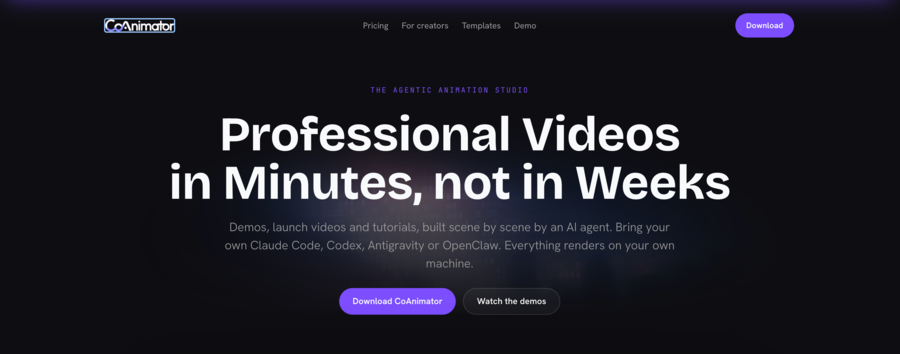
Coanimator
CoAnimator is an agentic animation studio for creating product demos, launch videos, tutorials, explainers, and animated content. Users describe the video they want, and an AI agent researches the product, drafts a script, and builds the video scene by scene. Each project can be r
Coanimator Details
Reviewed by Add AI Directory Editorial Team
View our review methodology →Sources
- Testing status
- Researched Only
- Availability status
- Not yet verified
- Limitations
- No additional limitations documented.
Ready to try Coanimator?
Check out Coanimator for pricing and explore how it can streamline your workflow.
CoAnimator is an agentic animation studio that helps users create product demos, launch videos, tutorials, explainers, and animated content with an AI co-animator. Users describe the video they want, and the AI agent researches the product, drafts a script, and constructs the video scene by scene.
What Is CoAnimator?
CoAnimator is an AI-powered video creation and animation platform. Instead of requiring users to manually plan, script, and animate an entire video, it uses an AI agent to assist throughout the production process.
The agent can research a product, develop the script, and build each scene while the user watches the project take shape. Users can provide feedback and redirect the agent during production, giving them more control than a fully automated, one-prompt video generator.
CoAnimator can also work with existing footage. Users can add effects, captions, overlays, and other visual elements to screen recordings or recorded video.
Projects are rendered locally and remain fully editable, allowing users to revise individual scenes and continue refining the finished video.
How CoAnimator Works
Users begin by describing the video they want to create. The AI agent then researches the subject or product, prepares a draft script, and begins constructing the video one scene at a time.
As scenes are created, users can review the work and give the agent new instructions. They can change the direction, revise the messaging, adjust individual scenes, or add new visual elements without restarting the entire project.
Once the video is complete, it can be rendered locally while remaining editable for further revisions.
Key Features
- Agentic video creation
- Automated product research
- AI-assisted scriptwriting
- Scene-by-scene video production
- Real-time user feedback and redirection
- Product demo creation
- Launch video creation
- Tutorial and explainer video creation
- Animated video production
- Screen-recording support
- Existing footage editing
- Effects, captions, and overlays
- Local video rendering
- Fully editable projects
Who CoAnimator Is For
CoAnimator is designed for founders, marketers, product teams, educators, content creators, and businesses that need to produce informative videos without managing every part of the animation process manually.
It can be particularly useful for software companies creating product demonstrations, startups preparing launch videos, educators building tutorials, and marketing teams producing explainers or promotional content.
CoAnimator Use Cases
CoAnimator can be used to create:
- Software and product demonstrations
- Product launch videos
- Tutorials and instructional videos
- Animated explainers
- Marketing videos
- Screen-recorded walkthroughs
- Videos combining animation with real footage
- Captioned and annotated video content
Key Features of Coanimator
- Agentic video creation
- Automated product research
- Scene-by-scene video production
- Real-time user feedback and redirection
- Product demo creation
- Launch video creation
- Tutorial and explainer video creation
- Animated video production
- Screen-recording support
- Existing footage editing
- Effects, captions, and overlays
- Local video rendering
- Fully editable projects
Ready to try Coanimator?
Check out Coanimator for pricing and explore how it can streamline your workflow.
Explore More AI Agents
Discover other AI agents and tools to enhance your workflow and productivity.
Browse all AI agentsSimilar to Coanimator

GenFlick
GenFlick is an AI filmmaking workspace for creating films, series, and video projects. Creators can develop a story with an AI Director, plan scenes, generate and edit footage, and publish finished work to a public viewing page. The platform also supports series planning, team collaboration, social publishing, fundraising, and creator monetization.

Kwizie
Kwizie AI transforms any video into an interactive quiz-based learning experience. It automatically generates questions, tracks engagement, and helps educators, trainers, and content creators boost retention with gamified video content. No technical skills required.

Based Labs AI
Better Labs AI helps you validate ideas, build landing pages, and launch products using AI. Better Labs AI is perfect for startups, solo founders, and marketers who want to move fast without code.
Trending AI Agents

Maeve Social
Maeve Social is a social media management platform for planning, approving, scheduling, and publishing content to nine social platforms. It adds a shared inbox, analytics with PDF reports, an AI assistant, and a REST API, CLI, and MCP server for connected automation, with a 3 day free trial.

SuperEbook
SuperEbook is an AI ebook studio that writes ebooks, guides, and lead magnets from your own notes, courses, or transcripts, then designs a cover and exports PDF, EPUB, and DOCX files. Planning an outline is free, new accounts get 50 free credits with no card, and books can also be created from Claude, ChatGPT, and other MCP clients.

DeepCheck
DeepCheck is an AI people finder that searches public profiles and web results in one place. Enter a name, email address, username, or location and it gathers public web pages, images, social accounts, LinkedIn profiles, and web mentions, with an AI organized summary on paid searches. The first search is free with no account or card, and more searches come in one time packs with no subscription.