
Agentskills Codes

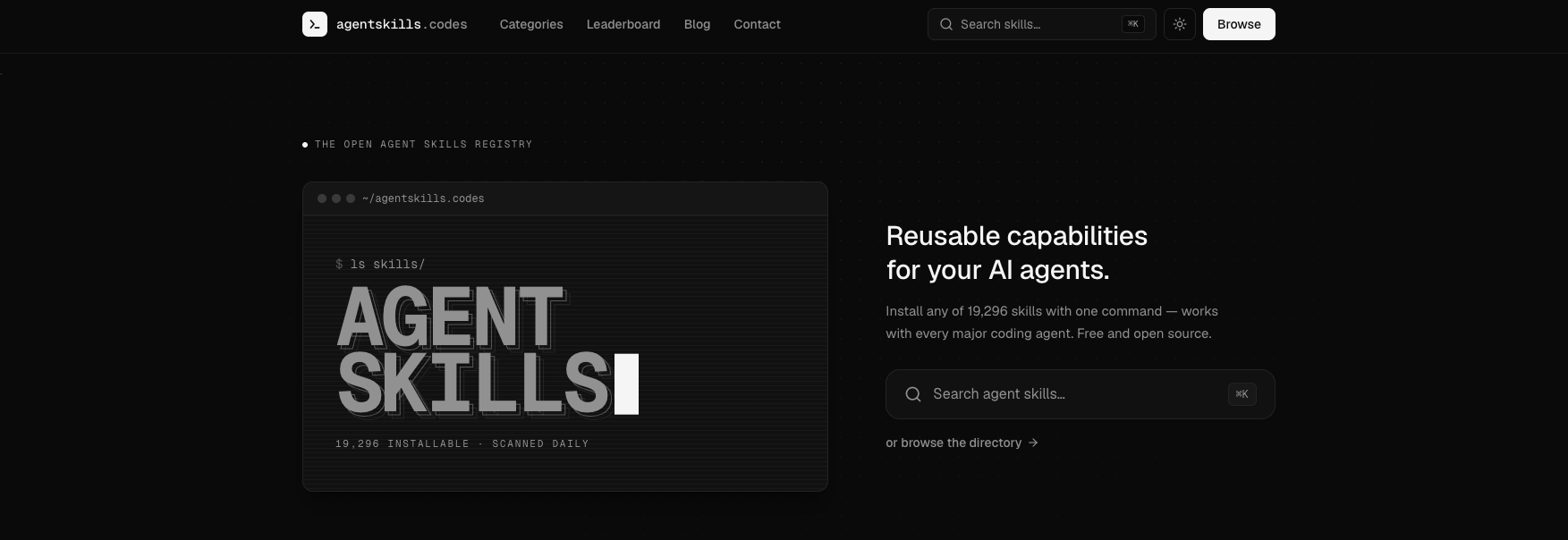
agentskills.codes is an open registry for discovering and installing reusable Agent Skills for AI coding assistants such as Claude Code, Codex, and GitHub Copilot. It helps developers compare skills, review source and compatibility information, check safety and repository health signals, and install portable skills for coding and agent workflows.
Agentskills Codes Details
Reviewed by Add AI Directory Editorial Team
View our review methodology →Sources
- Official website
- DocumentationNot provided
- Pricing pageNot provided
- Privacy policyNot provided
- Terms / public policyNot provided
- Testing status
- Researched Only
- Availability status
- Not yet verified
- Limitations
- No additional limitations documented.
Ready to try Agentskills Codes?
Check out Agentskills Codes for pricing and explore how it can streamline your workflow.
agentskills.codes is an open registry for discovering and installing reusable Agent Skills for AI coding agents. It helps developers find capabilities for tools such as Claude Code, Codex, GitHub Copilot, and other compatible AI assistants.
The registry currently indexes more than 19,000 installable skills and provides information developers can review before adding a skill to their workflow. Each listing can include source information, compatibility details, safety signals, capability flags, license information, repository activity, and installation instructions.
What Is agentskills.codes?
agentskills.codes is a searchable directory of Agent Skills designed for AI coding assistants.
Agent Skills are reusable instruction sets that teach an AI agent how to perform a particular workflow, follow a development practice, or apply specialized domain knowledge. Instead of repeatedly prompting an AI coding assistant with the same instructions, developers can install a skill and make that capability available to the agent when needed.
The platform supports skills for major AI coding agents including Claude Code, Codex, GitHub Copilot, and Antigravity. Skills are stored as portable SKILL.md files rather than being tied to a proprietary runtime.
How To Use agentskills.codes
Developers can search the registry or browse skills by category, development stack, or supported AI agent.
Each skill page provides information about the skill and its source repository. The platform also provides a one-line installation command that can be used to place the skill inside the appropriate skills directory for the selected AI coding assistant.
For example, a skill can be installed into directories used by tools such as Claude Code or Codex. Once the skill file is available in the correct directory, the coding agent can use the instructions during future tasks.
No account is required to browse the registry.
agentskills.codes Key Features
19,000+ Agent Skills
agentskills.codes currently indexes more than 19,000 installable skills covering areas such as coding, productivity, planning, data and analytics, writing, security, design, and research.
Claude Code Compatibility
Developers can discover and install skills designed to work with Claude Code.
Codex Compatibility
The registry includes Agent Skills that can be installed for Codex workflows.
GitHub Copilot Compatibility
agentskills.codes also lists skills compatible with GitHub Copilot and its agent-based development workflows.
Source Repository Links
Skill listings link directly to their underlying GitHub repositories so developers can inspect the original source before installation.
Safety Scanning
Skills receive static safety scans that surface indicators such as clean, review, or warning grades along with capability flags.
Repository Health Signals
Listings can display repository information such as GitHub stars, license details, and the date of the most recent commit.
Daily Scanning
The registry states that its catalog is rescanned daily to keep source and safety information current.
One-Command Installation
Each skill page provides an installation command designed for the selected coding agent and installation scope.
Portable Skill Files
Agent Skills use SKILL.md files, allowing developers to copy, modify, fork, or store skills directly within their own repositories.
agentskills.codes Use Cases
Discovering Agent Skills
Developers can search for reusable capabilities instead of writing every agent instruction or workflow from scratch.
Expanding AI Coding Assistants
Skills can add specialized workflows, development practices, frameworks, or domain knowledge to supported coding agents.
Comparing Skills
Teams can compare available skills using source information, repository activity, compatibility, and capability details.
Reviewing Skill Safety
Developers can use the registry's safety scans and source links as signals when deciding whether to install a third-party skill.
Building Portable Agent Workflows
Because skills use portable SKILL.md files, teams can maintain workflows that are less dependent on a single AI coding platform.
Standardizing Team Instructions
Development teams can use shared skills to provide AI coding assistants with consistent instructions and engineering practices across projects.
agentskills.codes Pricing
agentskills.codes is free to browse and use.
The registry currently does not offer a paid subscription plan, and no account is required to search or browse its public skill listings.
Individual skills indexed by the platform may depend on third-party repositories, tools, APIs, or services that have their own pricing or access requirements.
agentskills.codes Limitations
agentskills.codes indexes Agent Skills created and maintained in third-party repositories. The registry does not necessarily control the underlying code, instructions, dependencies, or future updates associated with those skills.
Developers should review the source repository and requested capabilities before installing a skill. Agent Skills may run within the permission environment of the coding agent using them, making source review particularly important.
Compatibility can also vary between skills and AI coding assistants. A skill designed for one agent or development environment may require modification before working properly with another.
The platform currently does not publish dedicated privacy policy or terms pages.
agentskills.codes FAQ
What is agentskills.codes?
agentskills.codes is an open directory for finding and installing reusable Agent Skills for AI coding assistants.
What is an Agent Skill?
An Agent Skill is a reusable instruction set that gives an AI coding agent additional workflows, development practices, or domain-specific knowledge.
Which AI agents does agentskills.codes support?
The registry includes support for Claude Code, Codex, GitHub Copilot, Antigravity, and other compatible AI assistants.
Is agentskills.codes free?
Yes. The public registry is currently free to browse and use.
Do I need an account?
No. An account is not required to browse the public registry.
How many skills are available?
agentskills.codes currently lists more than 19,000 installable Agent Skills.
Does agentskills.codes scan skills for safety?
Yes. The platform displays static safety scan results and capability flags intended to help users evaluate skills before installation.
Are the skills hosted by agentskills.codes?
The registry indexes skills from external source repositories and links users to their underlying GitHub sources.
Can Agent Skills work across different coding agents?
Many skills use portable SKILL.md files and can work across multiple compatible agents, although individual compatibility may vary.
Why We Featured agentskills.codes on Add AI Directory
agentskills.codes provides a discovery layer for the growing ecosystem of reusable Agent Skills used by AI coding assistants.
Instead of searching individual repositories for instructions and agent workflows, developers can browse a centralized registry, compare source information, review safety signals, and find installation instructions from one interface.
Its focus on portable skill files, multiple coding-agent ecosystems, source transparency, and skill discovery makes it especially relevant for developers building workflows around AI agents and coding assistants.
Ready to try Agentskills Codes?
Check out Agentskills Codes for pricing and explore how it can streamline your workflow.
Explore More AI Agents
Discover other AI agents and tools to enhance your workflow and productivity.
Browse All AgentsSimilar to Agentskills Codes

Coo
Coo is an AI recruiting agent that helps hiring teams discover and source qualified candidates faster. It searches for both active and passive candidates, evaluates their suitability against specific hiring requirements, and presents relevant matches for review. By automating candidate discovery and initial qualification, Coo reduces manual sourcing work and helps fast-growing and high-volume hiring teams build stronger candidate pipelines without expanding their recruiting staff.

Treg
Treg is an open source tool gateway that connects coding agents such as Claude Code, Codex, OpenCode, and OpenClaw to more than 2,600 endpoints from 47 providers through one API key. Agents can access SEO data, social media analytics, sales intelligence, advertising platforms, image and video generation, and other specialized services without managing separate provider accounts. Treg compares providers by price, speed, and success rate to help the agent choose an appropriate tool for each task. It uses pay per result pricing and allows users to connect their own provider keys for unmetered access.

Screenpipe
Screenpipe is a source-available desktop app that records and indexes screen activity, app text, meetings, and audio to create a searchable history of your work. Captured data stays on your device by default and can be selectively shared with Claude, Codex, Cursor, ChatGPT, and other MCP-compatible AI assistants. Screenpipe also supports recurring workflows based on captured activity, local transcription, accessibility text extraction, and OCR. Optional paid plans add features such as extended history, additional AI capacity, cross-device syncing, and team workflows.
Trending AI Agents

Arvow
Arvow is an AI SEO platform for marketers and agencies. Its agents help research, write, and publish content in a brand’s voice, identify technical SEO issues, and find relevant sites for contextual backlinks. Arvow also tracks brand mentions across AI search tools, bringing content, site optimization, link building, and AI visibility into one platform.

GenFlick
GenFlick is an AI filmmaking workspace for creating films, series, and video projects. Creators can develop a story with an AI Director, plan scenes, generate and edit footage, and publish finished work to a public viewing page. The platform also supports series planning, team collaboration, social publishing, fundraising, and creator monetization.

Lazy Ads
Lazy Ads is an AI media buyer that helps businesses run and optimize campaigns across nine ad networks from one platform. Users connect their own ad accounts, while paid plans provide an AI agent for campaign management. Teams that already use an AI agent can connect it through Lazy Ads’ MCP bridge. Pricing is a fixed monthly fee rather than a percentage of ad spend.